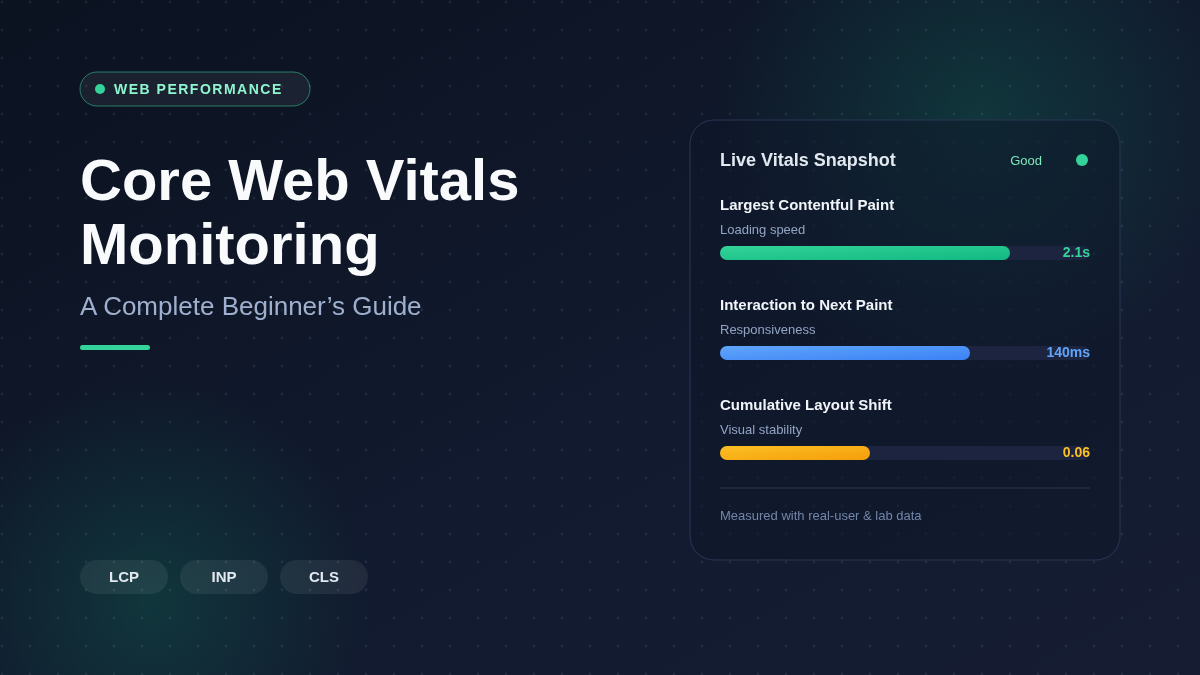
Core Web Vitals Monitoring is an important part of website speed and SEO. It helps you check how fast your site loads, how quickly users can interact with it, and how stable the page looks while loading. These performance metrics matter because they affect user experience, search engine rankings, bounce rate, and conversions. If your website is slow or moves around while loading, visitors may leave before they read your content or buy your product.
By using Core Web Vitals Monitoring, you can find problems early and improve page speed, mobile performance, loading time, and overall website performance. For beginners, it is one of the best ways to understand what is slowing down a website and how to make it faster, smoother, and more user-friendly.
Core Web Vitals Monitoring is an important part of a complete Technical SEO Audit, helping identify performance issues that affect both user experience and search rankings.
What Are Core Web Vitals?
Core Web Vitals are Google's user experience metrics that evaluate how visitors experience your website in real-world conditions.
They focus on three important areas:
- Loading speed
- Interactivity
- Visual stability
These metrics influence user satisfaction and are considered ranking signals in Google Search.
The three Core Web Vitals include:
Largest Contentful Paint (LCP)
LCP measures how long it takes for the largest visible element on a page to load.
Examples include:
- Hero images
- Large banners
- Featured videos
- Main heading blocks
Google recommends:
- Good: Under 2.5 seconds
- Needs Improvement: 2.5–4 seconds
- Poor: Over 4 seconds
Interaction to Next Paint (INP)
INP measures how quickly a website responds after a visitor clicks, taps, or types.
It replaces the older First Input Delay (FID).
Recommended score:
- Good: Under 200 milliseconds
- Needs Improvement: 200–500 milliseconds
- Poor: Above 500 milliseconds
Cumulative Layout Shift (CLS)
CLS measures unexpected movement of page elements while loading.
Examples include:
- Buttons moving
- Images loading late
- Ads pushing content down
- Fonts changing page layout
Recommended score:
- Good: Less than 0.1
- Needs Improvement: 0.1–0.25
- Poor: Above 0.25
What Is Core Web Vitals Monitoring?
Core Web Vitals Monitoring is the continuous process of tracking and measuring a website's performance based on Google's Core Web Vitals metrics. Instead of checking your website's speed only once, monitoring helps you observe how your site performs over time under real user conditions. It provides valuable insights into loading speed, responsiveness, and visual stability, allowing website owners to identify issues before they negatively affect visitors or search engine rankings.
Regular Core Web Vitals Monitoring enables businesses, developers, and marketers to detect performance drops caused by website updates, new plugins, third-party scripts, large images, or server issues. By reviewing performance reports consistently, you can quickly identify pages with poor scores and take corrective action. This proactive approach helps maintain a fast, reliable, and user-friendly website while supporting better SEO performance, higher user engagement, and improved conversion rates. Continuous monitoring ensures that your website consistently meets Google's recommended performance standards across both desktop and mobile devices.
Why Continuous Monitoring Is Better Than One-Time Testing?
Regular website performance checks are essential because website conditions change over time. A single speed test only shows how your website performs at that moment, while continuous monitoring helps you identify ongoing issues, measure improvements, and maintain a consistently fast user experience.
- Real-Time Performance Tracking: Continuous monitoring tracks your website's performance regularly, helping you identify changes as they happen instead of relying on outdated test results.
- Detects Issues Early: It quickly identifies problems caused by plugin updates, code changes, server downtime, or third-party scripts before they affect your visitors.
- Monitors Real User Experience: Unlike one-time testing, continuous monitoring collects data from actual users using different devices, browsers, and internet connections, providing more accurate insights.
- Tracks Performance Trends: Regular monitoring shows whether your website's performance is improving or declining over weeks and months, making it easier to evaluate optimisation efforts.
- Helps Maintain SEO Performance: Search engines value websites that consistently deliver a good user experience. Continuous monitoring helps maintain strong Core Web Vitals scores that support SEO.
- Identifies High-Impact Pages: Monitoring highlights which pages experience the most performance issues, allowing you to prioritise improvements where they matter most.
- Measures the Impact of Website Updates: Every design change, plugin installation, or content update can affect website speed. Continuous monitoring confirms whether these changes improve or reduce performance.
- Supports Better User Experience: A consistently monitored website loads faster, responds quickly, and remains visually stable, resulting in higher visitor satisfaction and engagement.
- Reduces Downtime and Performance Drops: Ongoing monitoring helps identify server or hosting problems before they lead to major slowdowns or website outages.
- Provides Actionable Performance Reports: Continuous monitoring generates detailed reports that help developers and website owners make informed optimisation decisions based on real data.
Continuous monitoring provides a complete picture of your website's health, making it far more effective than a single performance test. By tracking Core Web Vitals regularly, you can quickly fix issues, maintain excellent user experience, and keep your website performing at its best throughout the year.
How to Start Core Web Vitals Monitoring?
Starting Core Web Vitals Monitoring does not require advanced technical knowledge. With the right tools and a consistent process, website owners can track performance, identify issues, and make improvements that enhance user experience and search engine visibility. The key is to establish a monitoring routine that helps you measure performance regularly and respond quickly when problems arise.
Step 1: Analyse Your Website
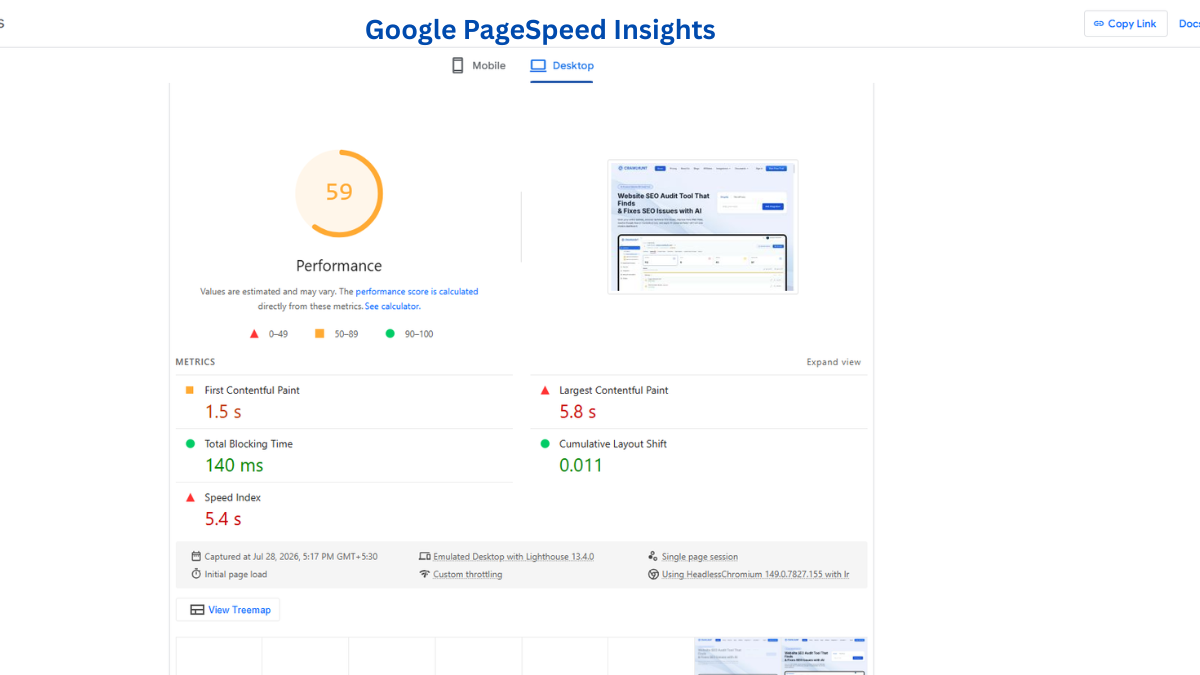
The first step is to understand your website's current performance status. Use tools such as Google PageSpeed Insights, Google Search Console, or Lighthouse to analyse your website. To do this, navigate to Google PageSpeed Insights → Enter your website URL → Click "Analyze." The tool will generate a report showing your Core Web Vitals scores and other performance metrics.
Pay special attention to important pages such as your homepage, service pages, product pages, category pages, and popular blog posts. These pages typically receive the highest amount of traffic and have the greatest impact on user experience. The report will also highlight issues such as large images, render-blocking resources, excessive JavaScript, and layout shifts. By analysing your website thoroughly, you gain a clear understanding of where performance improvements are needed.
If you're learning how to Perform SEO Audit, reviewing Core Web Vitals should always be one of the first technical checks in your audit process.
Step 2: Record Your Baseline Metrics
After analysing your website, document your current performance scores. Navigate to Google Search Console → Experience → Core Web Vitals or review the metrics provided by PageSpeed Insights. Record important values such as Largest Contentful Paint (LCP), Interaction to Next Paint (INP), and Cumulative Layout Shift (CLS).
Keeping a record of these scores creates a baseline that you can use for future comparisons. Without baseline data, it becomes difficult to determine whether your optimisation efforts are actually improving website performance. Consider maintaining a spreadsheet where you can track performance scores monthly. This allows you to identify trends and measure long-term improvements in website speed and user experience.
Step 3: Monitor Your Website Regularly
Website performance is not static. It can change whenever you update content, install plugins, add tracking scripts, upload large media files, or make design changes. This is why continuous monitoring is essential. Visit Google Search Console → Experience → Core Web Vitals Report regularly to review performance trends and identify any warnings.
Weekly or monthly monitoring helps you detect issues before they become serious problems. For example, a newly installed plugin may slow down page loading times, or a large image upload may negatively affect Largest Contentful Paint. Regular reviews allow you to identify these issues early and take corrective action before visitors notice a decline in performance. Consistent monitoring also helps maintain stable search engine rankings by ensuring that your website continues to meet Google's performance standards.
Step 4: Prioritise High-Traffic Pages
Not every page on your website has the same impact on your business. Some pages receive significantly more traffic and contribute more to conversions, leads, or sales. To identify these pages, navigate to Google Analytics → Reports → Engagement → Landing Pages and review which pages attract the most visitors.
Once you have identified your highest-traffic pages, compare their performance data with your Core Web Vitals reports. Focus your optimisation efforts on these pages first because improvements here will benefit the largest number of users. For example, if your homepage receives thousands of visits each month and has a poor Largest Contentful Paint score, improving that page can have a much greater impact than optimising a rarely visited page. Prioritising strategically ensures that your resources are spent where they can deliver the greatest results.
Step 5: Implement Optimisations and Retest
After identifying performance issues, begin implementing improvements. Common optimisation techniques include compressing images, converting images to modern formats such as WebP, reducing JavaScript execution time, enabling browser caching, minimising CSS files, and using a Content Delivery Network (CDN). These changes can significantly improve loading speed and responsiveness.
Once optimisations have been completed, return to Google PageSpeed Insights → Enter the same URL → Click "Analyze" and compare the updated results with your baseline metrics. Pay attention to whether your Largest Contentful Paint, Interaction to Next Paint, and Cumulative Layout Shift scores have improved. If certain issues remain unresolved, continue refining your website until performance reaches acceptable levels. Retesting ensures that every change contributes positively to the overall user experience.
Step 6: Set Up Ongoing Performance Alerts
To make monitoring more effective, consider using tools that provide automatic alerts when performance issues occur. Many website monitoring platforms can notify you when page speed decreases, server response times increase, or Core Web Vitals scores drop below recommended thresholds. This proactive approach helps you address problems quickly rather than discovering them weeks later.
Navigate to your preferred monitoring platform and configure notifications for critical performance metrics. These alerts allow you to react immediately to unexpected issues caused by website updates, hosting problems, or third-party scripts. Automated monitoring reduces the risk of long-term performance degradation and helps maintain a consistently positive user experience.
Step 7: Review Performance Reports and Trends
Monitoring is most valuable when you analyse the data over time. Schedule monthly reviews of your performance reports to identify trends and recurring issues. Access Google Search Console → Core Web Vitals Report and compare current data with previous months. Look for patterns such as gradual improvements, sudden performance drops, or recurring warnings.
Trend analysis helps you understand how your website evolves over time and provides valuable insights for future optimisation efforts. By reviewing historical data, you can make informed decisions about hosting upgrades, design changes, plugin management, and overall website strategy.
Starting Core Web Vitals Monitoring is a straightforward process that involves analysing your website, recording baseline metrics, monitoring performance regularly, prioritising key pages, implementing improvements, and reviewing results over time. By following these steps consistently, you can identify performance issues before they affect users, maintain strong search engine visibility, and create a faster, more reliable website. Continuous monitoring ensures that your website remains optimised as technology, content, and user expectations continue to evolve.
Best Tools for Core Web Vitals Monitoring
Here are the best tools for Core Web Vitals monitoring you can try:
1. CrawlHunt
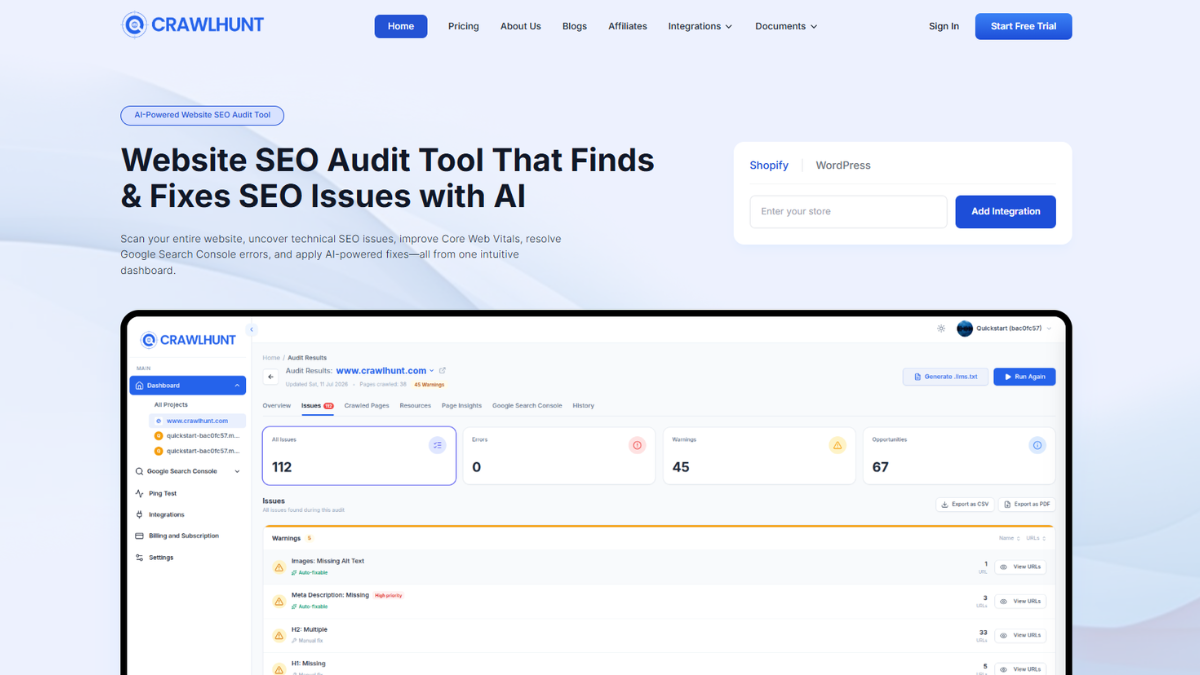
Many SEO Analysis Tools include Core Web Vitals reports alongside technical SEO insights, making it easier to monitor website health from a single dashboard. CrawlHunt is an AI-powered Technical SEO Fix Platform that goes beyond basic website audits. It combines full website crawling with Core Web Vitals Monitoring, Google PageSpeed Insights integration, technical SEO issue detection, AI-powered fixes, redirect management, image SEO, and bulk optimisation tools. It helps businesses continuously monitor performance, identify speed bottlenecks, and resolve issues such as unused JavaScript, unused CSS, broken links, canonical errors, and missing metadata with AI-assisted recommendations, making website optimisation faster and more efficient.
Using the Best SEO Audit Tool allows you to monitor Core Web Vitals together with crawl issues, broken links, metadata, and other technical SEO problems in one place.
2. Google PageSpeed Insights
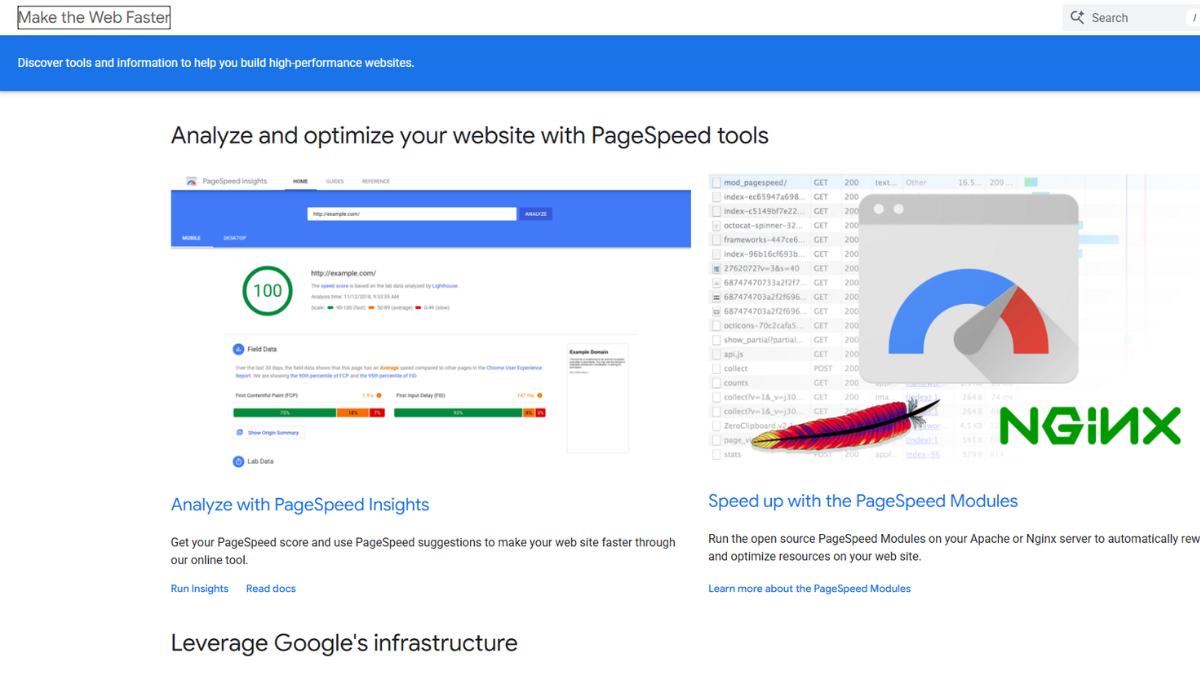
Google PageSpeed Insights is one of the most popular free tools for Core Web Vitals Monitoring. It analyses both mobile and desktop versions of a website using real-world field data and lab data to measure metrics such as Largest Contentful Paint (LCP), Interaction to Next Paint (INP), and Cumulative Layout Shift (CLS). The tool also provides detailed recommendations for improving loading speed, reducing render-blocking resources, and enhancing overall website performance.
3. Google Search Console
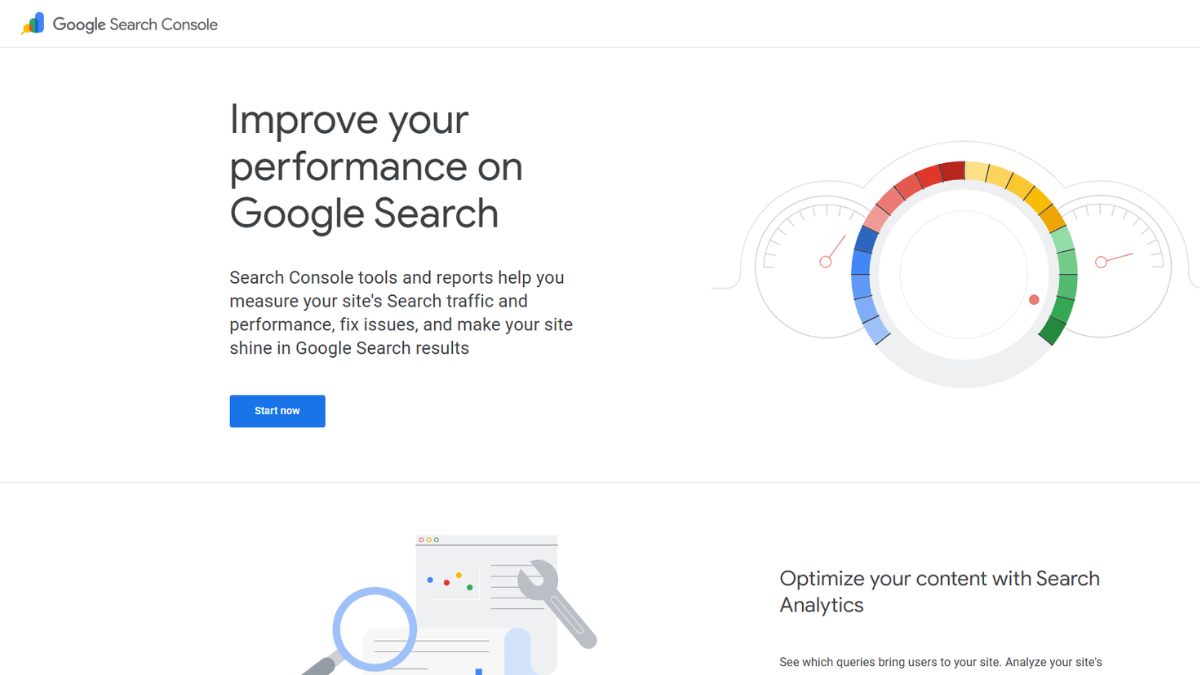
Google Search Console offers website-wide Core Web Vitals Monitoring by collecting real user experience data from Google's Chrome User Experience Report. It groups URLs with similar performance issues, helping website owners identify pages that need optimisation. In addition to tracking Core Web Vitals trends over time, it provides valuable insights into indexing, search performance, mobile usability, and technical SEO, making it an essential tool for maintaining a healthy website.
Conclusion
Core Web Vitals Monitoring is essential for maintaining a fast, responsive, and user-friendly website. By regularly tracking metrics such as Largest Contentful Paint (LCP), Interaction to Next Paint (INP), and Cumulative Layout Shift (CLS), you can quickly identify performance issues and improve the overall browsing experience. Continuous monitoring also helps maintain better SEO rankings, reduce bounce rates, and increase user engagement. Using reliable tools and following performance best practices ensures your website continues to meet Google's recommended standards. After improving your website's performance, it's also worth learning how to Fix Crawl Errors to ensure search engines can efficiently discover and index your pages.
Whether you manage a personal blog, business website, or online store, making Core Web Vitals Monitoring a regular part of your website maintenance strategy will lead to better performance, happier visitors, and stronger online growth. A well-optimised website not only loads faster but also builds trust and supports long-term digital success.
Frequently Asked Questions (FAQs)
How often should I monitor Core Web Vitals?
You should review your Core Web Vitals at least once a month. If you frequently update your website, add new features, change themes, or install plugins, monitor performance weekly to catch issues before they affect users.
Can poor Core Web Vitals affect website traffic?
Yes. Poor Core Web Vitals can lead to slower page loading, lower user engagement, higher bounce rates, and reduced search visibility. Improving these metrics creates a better user experience and can contribute to stronger organic traffic over time.
What causes poor Core Web Vitals scores?
Common causes include large images, slow hosting, excessive JavaScript, render-blocking CSS, third-party scripts, missing image dimensions, and poor server response times. Regular monitoring helps identify and resolve these issues.
Is Core Web Vitals Monitoring only for developers?
No. Website owners, marketers, SEO professionals, and business managers can all benefit from Core Web Vitals Monitoring. Many tools provide easy-to-understand reports and recommendations that do not require advanced technical knowledge.