Getting your Shopify store noticed on Google takes more than adding products and waiting for traffic. With the right Shopify SEO optimization strategy, you can improve search visibility, attract high-intent shoppers, and drive more organic sales without relying only on paid ads. From optimizing meta titles and product pages to fixing broken links, improving site speed, adding schema, and strengthening internal linking, every SEO improvement can make a difference.
In this blog, we’ll cover 10 proven Shopify SEO optimization tips that can help your store rank higher on Google. You’ll also see how CrawlHunt can simplify technical SEO tasks, run a technical SEO audit, identify issues, automate fixes, and make ongoing optimization easier for Shopify store owners.
What Exactly Does Shopify SEO Optimization Mean?
Shopify SEO Optimization is the process of improving different elements of your Shopify store so that search engines such as Google can better crawl, understand, index, and rank your website.
It is not limited to adding keywords to product pages. Proper Shopify SEO Optimization involves improving the technical structure of your store, optimizing product and collection pages, fixing SEO issues, improving page speed, strengthening internal linking, creating optimized content, managing redirects, adding schema markup, optimizing images, and ensuring that search engines can easily understand the relationship between different pages on your website.
The main objective of Shopify SEO Optimization is to make your online store more search-engine-friendly while also improving the experience for visitors.
For example, imagine you sell skincare products through Shopify. If your product pages have missing meta titles, duplicate descriptions, large unoptimized images, broken links, poor internal linking, and no structured data, Google may find it difficult to understand and rank those pages properly.
By performing Shopify SEO Optimization, you can systematically identify and improve these areas.
A complete Shopify SEO Optimization strategy normally includes:
- Optimizing meta titles and meta descriptions.
- Adding descriptive image ALT text.
- Improving product and collection page content.
- Fixing broken links and 404 errors.
- Creating proper 301 redirects.
- Improving internal linking between related pages.
- Adding canonical tags.
- Implementing schema markup.
- Improving Core Web Vitals and page speed.
- Optimizing JavaScript and CSS.
- Creating SEO-optimized blog content.
- Improving website crawling and indexing.
- Monitoring technical SEO issues regularly.
Shopify already provides a strong ecommerce foundation, but simply launching a Shopify store does not automatically mean that every page is fully optimized for search engines.
This is why ongoing Shopify SEO Optimization is important.
Tools such as CrawlHunt can simplify many of these tasks by identifying SEO issues, generating AI-powered fixes, and helping store owners implement improvements directly on their Shopify store.
10 Proven Shopify SEO Optimization Tips for Higher Google Rankings
1. Optimize Meta Titles and Meta Descriptions
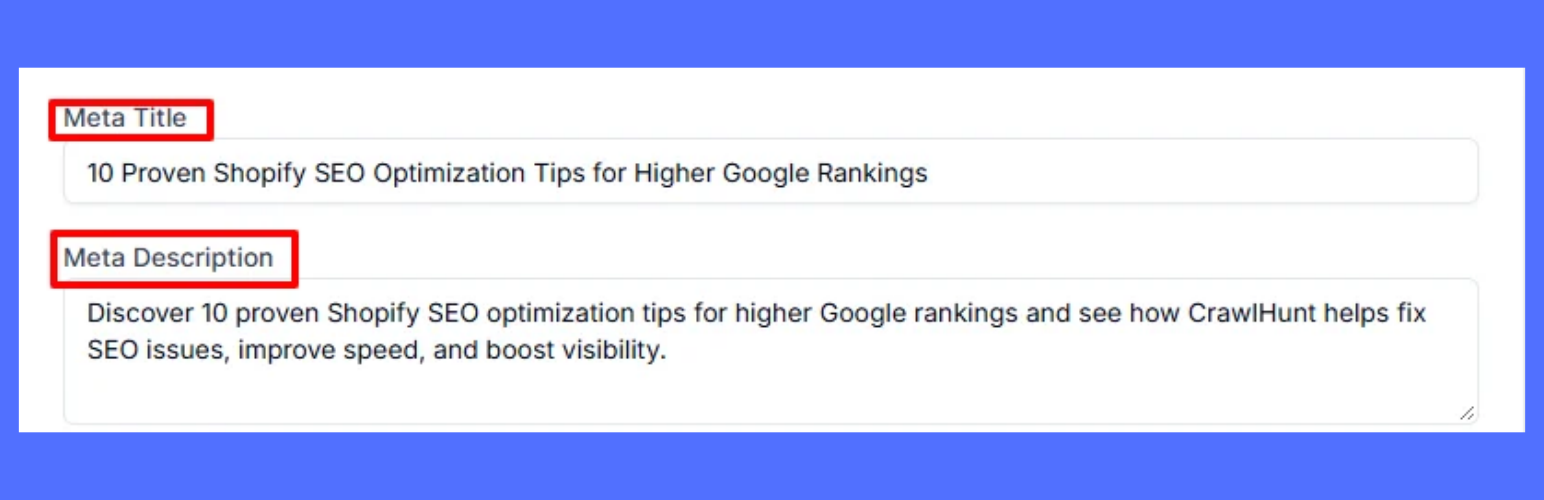
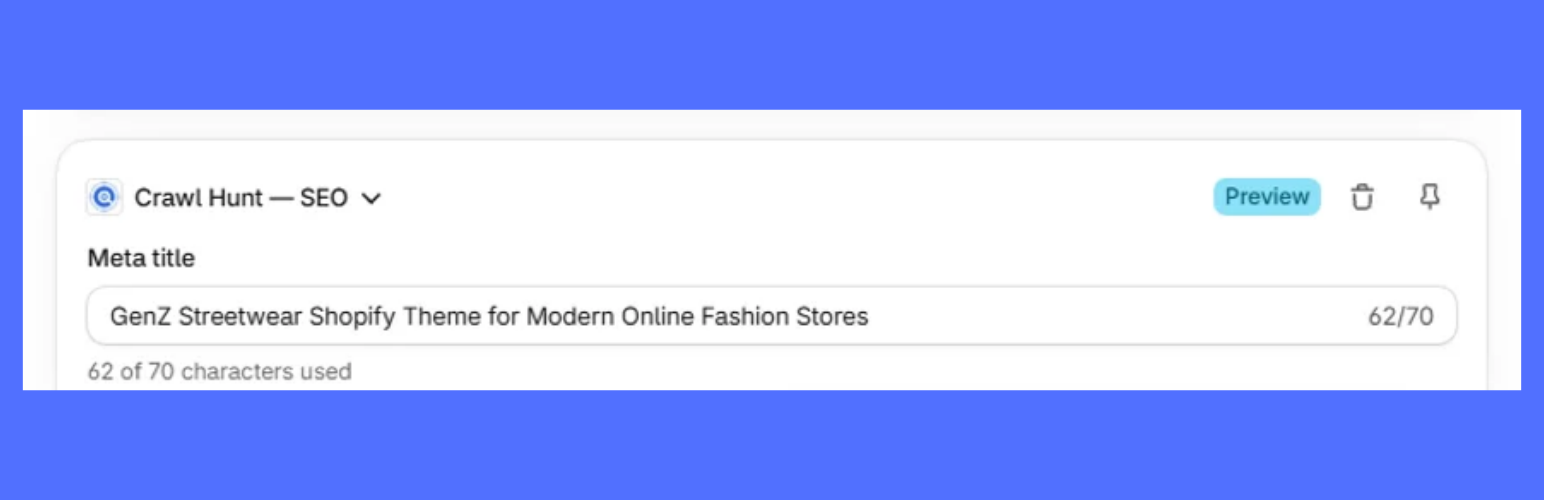
Meta titles and meta descriptions are among the most important elements of Shopify SEO Optimization because they help search engines understand the topic of a page.
The meta title normally appears as the clickable headline in Google search results, while the meta description provides a short summary of what the page contains.
Every important Shopify page should have a unique and relevant meta title and description.
This includes:
- Product pages.
- Collection pages.
- Blog posts.
- Homepage.
- Landing pages.
- Other important content pages.
A good meta title should clearly explain what the page is about while naturally including the main keyword.
For example, instead of using:
Men's Shoes
You could use:
Men's Running Shoes | Lightweight & Comfortable Sports Shoes
Similarly, your meta description should describe the page clearly and encourage users to click.
Avoid these common metadata problems
During Shopify SEO Optimization, make sure you know the common SEO mistakes to avoid:
- Duplicate meta titles.
- Duplicate meta descriptions.
- Missing meta descriptions.
- Extremely long titles.
- Titles that contain only the product name.
- Keyword stuffing.
- Meta descriptions that do not match the page content.
How CrawlHunt Helps
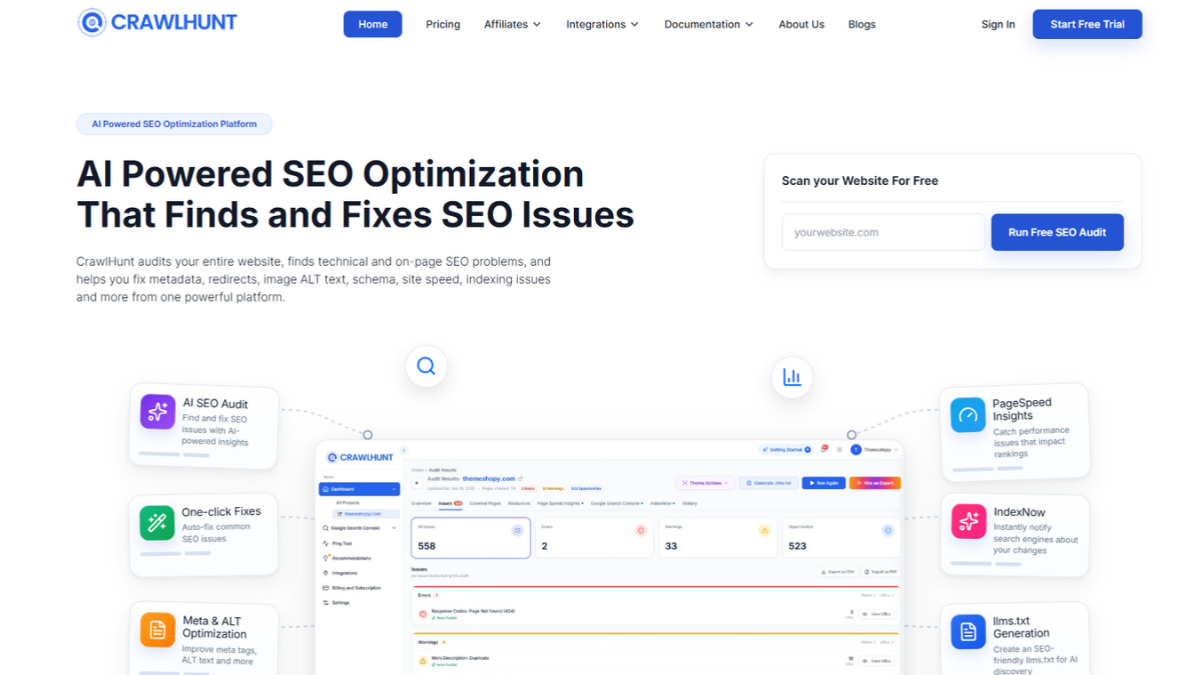
CrawlHunt can make this part of Shopify SEO Optimization much easier.
After installing the CrawlHunt Shopify App, you can connect your Shopify store with the CrawlHunt SaaS application.
You can then:
- Crawl your Shopify website.
- Identify SEO issues across your pages.
- Open issues such as missing or weak meta titles.
- Check missing or poorly optimized meta descriptions.
- Identify pages requiring image ALT text.
- Select the relevant issues.
- Click Bulk AI Fixes.
- Let CrawlHunt generate optimized content.
- Review the generated content.
- Click Save to add the changes to your Shopify store.
This makes it possible to optimize metadata across a large Shopify store without manually opening every page individually.
CrawlHunt also provides blocks directly on product pages, collection pages, and other supported Shopify pages.
From these blocks, you can generate meta titles and meta descriptions for the individual page you are currently editing.
2. Optimize Image ALT Text
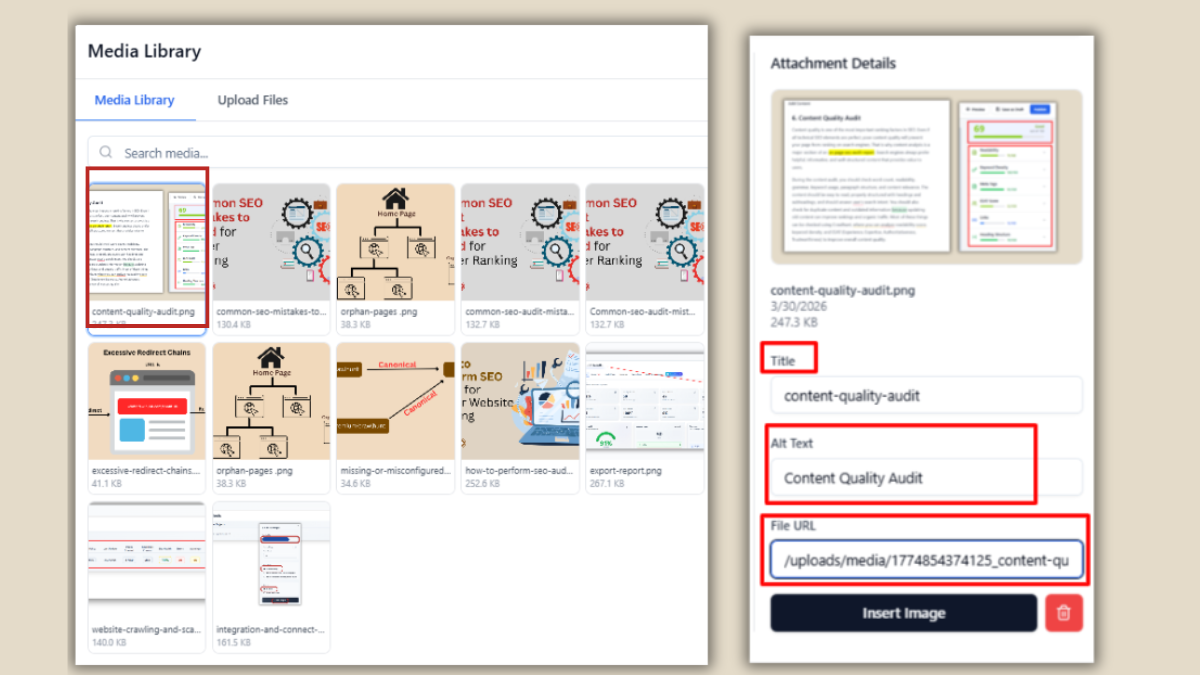
Images play an important role in ecommerce websites, but search engines cannot interpret images in exactly the same way humans do.
Image ALT text provides a textual description of an image and helps search engines understand what the image represents.
Optimizing ALT text is an important part of Shopify SEO Optimization, especially for stores with hundreds or thousands of product images.
For example, instead of using an ALT attribute such as:
image123
A better ALT text could be:
Women's black leather crossbody handbag
Proper image ALT text can help:
- Search engines understand product images.
- Improve accessibility.
- Provide context when an image fails to load.
- Improve visibility in image search.
- Strengthen the relevance of product pages.
Shopify Image SEO Best Practices
When optimizing Shopify images:
- Write descriptive ALT text.
- Describe what is actually visible in the image.
- Include keywords only when they naturally fit.
- Avoid keyword stuffing.
- Avoid using the same ALT text across every image.
- Keep the description specific to the product.
How CrawlHunt Helps
Manually adding ALT text to hundreds of Shopify images can take significant time.
CrawlHunt works as an AI image alt text generator, allowing you to identify images with missing ALT text after crawling your website.
You can then:
- Open the image ALT text issue.
- Select multiple images or pages.
- Click Bulk AI Fixes.
- Allow AI to generate descriptive ALT text.
- Review the generated results.
- Save the changes to your Shopify store.
This allows store owners to perform image-focused Shopify SEO Optimization at scale.
3. Fix 404 Errors and Broken Links
A 404 error occurs when a visitor or search engine tries to access a URL that no longer exists.
This commonly happens when:
- A product is deleted.
- A collection URL changes.
- A page is removed.
- A blog URL is modified.
- An old promotional page is deleted.
- Internal links continue pointing toward an outdated URL.
Too many unresolved 404 pages can negatively affect user experience and make your website structure difficult for search engines to navigate.
That is why learning to fix 404 errors and resolve broken URLs should be part of every Shopify SEO Optimization strategy.
Use Redirects Properly
When a page has moved permanently, you should normally redirect the old URL to the most relevant live page.
For example:
Old URL:
/products/black-running-shoe-v1
Relevant new URL:
/products/black-running-shoes
Instead of allowing visitors to land on a 404 page, a proper redirect can take them directly to the relevant replacement page.
How CrawlHunt Helps
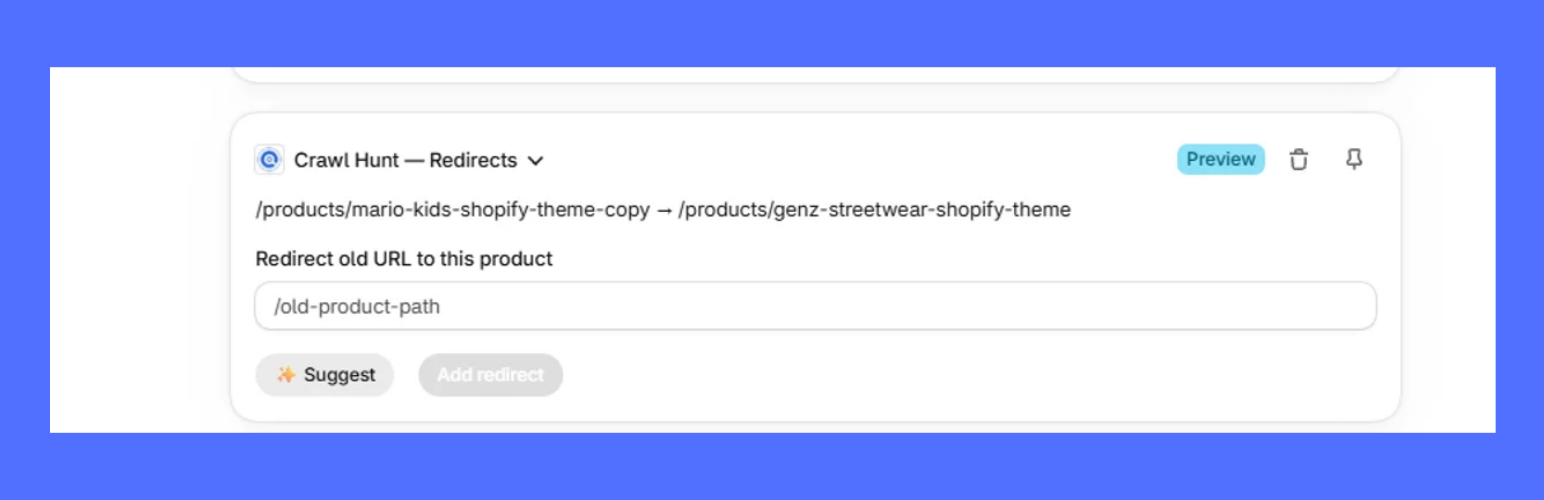
CrawlHunt provides AI-powered redirect functionality directly within Shopify.
You can use CrawlHunt blocks available on supported product, collection, and other Shopify pages to create AI-powered redirects.
For stores containing many broken URLs, CrawlHunt also provides bulk 404 error management.
The process is straightforward:
- Open CrawlHunt.
- Navigate to the 404 Errors section.
- Review detected broken URLs.
- Click Bulk AI Fix.
- CrawlHunt analyzes your live pages.
- AI identifies suitable redirect destinations.
- Redirect recommendations are generated.
- Review and apply the redirects.
CrawlHunt can also help identify internal links pointing to the broken page.
This is important because simply creating a redirect does not always solve the entire problem.
If ten different pages still link to the broken URL, those internal links should ideally be updated to point directly to the correct live page.
CrawlHunt therefore helps with both:
- Redirecting the broken URL.
- Fixing the internal links pointing toward that URL.
This creates a cleaner Shopify website structure.
4. Improve Core Web Vitals and Shopify Page Speed
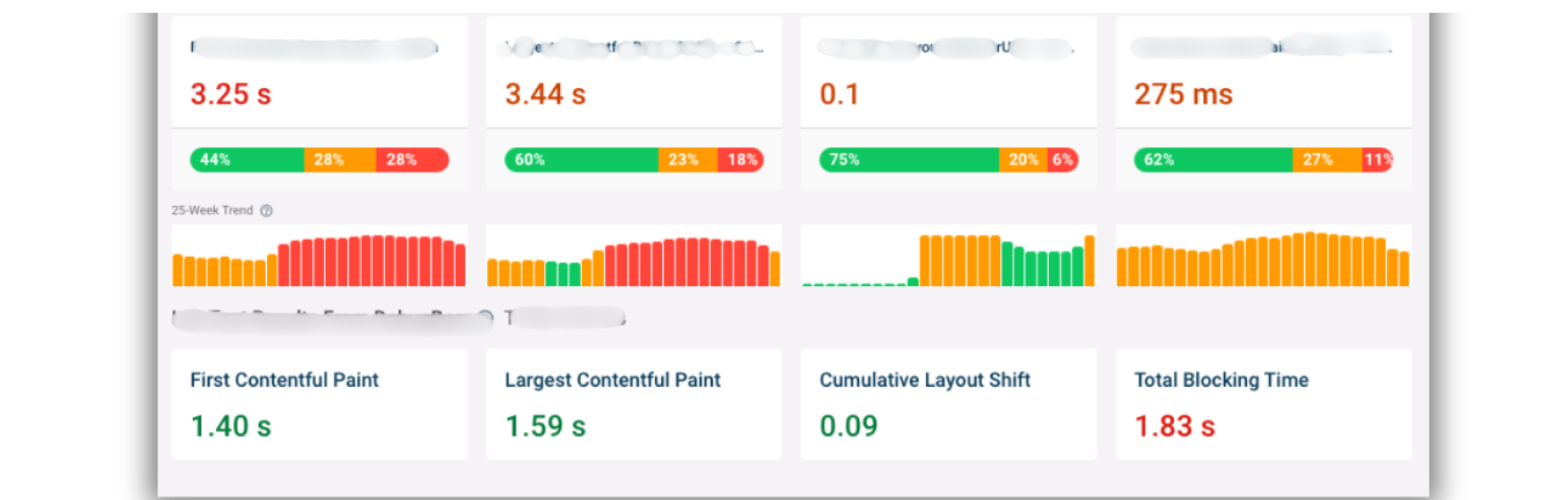
Website performance is another important part of Shopify SEO Optimization.
A slow Shopify store can create a poor user experience, particularly on mobile devices.
Visitors may leave the website before product pages fully load, which can reduce engagement and potentially affect conversions.
Core Web Vitals focus on important aspects of page experience, including loading performance, responsiveness, and visual stability.
Common Shopify performance issues can include:
- Large JavaScript files.
- Unnecessary CSS.
- Third-party scripts.
- Heavy Shopify apps.
- Large images.
- Render-blocking resources.
- Excessive theme code.
How CrawlHunt Helps
CrawlHunt includes performance optimization features that can help reduce unnecessary loading overhead.
These include:
- JavaScript minification.
- CSS minification.
- JavaScript defer functionality.
- Async loading options.
- Resource preloading.
For example, deferring non-critical JavaScript allows the browser to prioritize important visible content before executing scripts that are not immediately required.
Similarly, minifying CSS and JavaScript removes unnecessary spaces, comments, and formatting from files, reducing their file size.
Using async, defer, preload, and minification appropriately can help improve your store's loading behavior and support better Core Web Vitals performance.
Page-speed improvements should always be tested carefully because every Shopify theme and app setup can behave differently. Regular Core Web Vitals monitoring helps you confirm whether your changes are actually improving the experience.
5. Build a Strong Internal Linking Structure
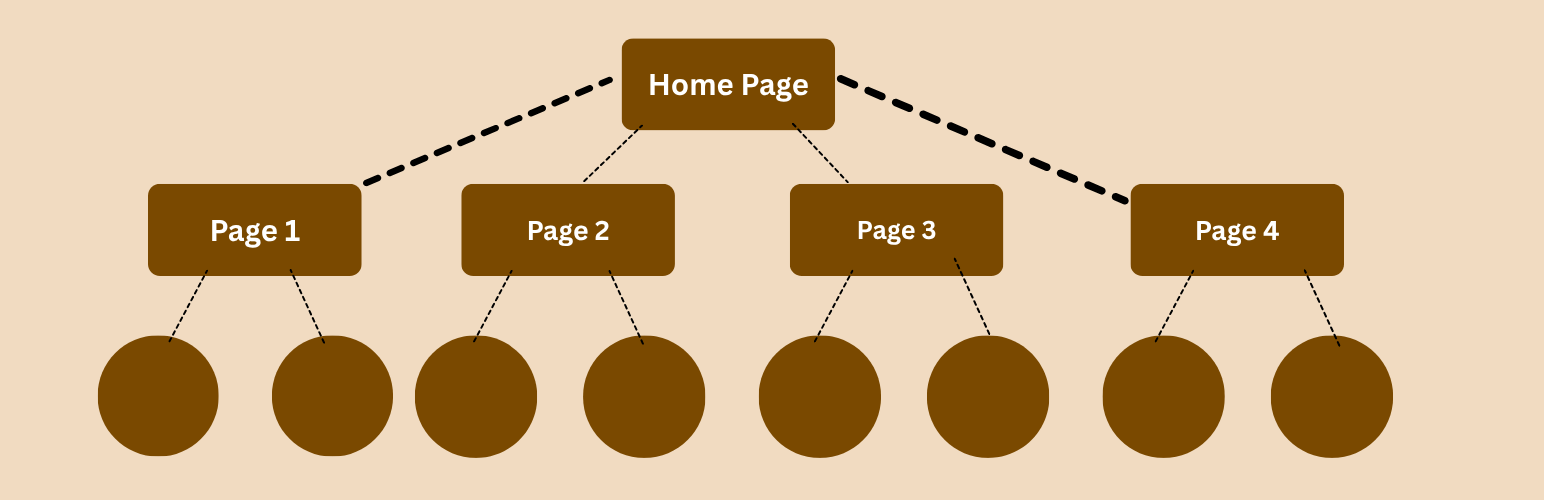
Internal linking means linking one page of your Shopify store to another page on the same website.
For example, a blog article about running shoes could link to:
- Running shoe collections.
- Relevant products.
- Shoe-care guides.
- Related blog posts.
- Size guides.
A well-planned internal linking strategy is a powerful component of Shopify SEO Optimization because it helps users and search engines discover related pages.
A strong internal linking structure can help:
- Search engines discover important pages.
- Distribute authority across your website.
- Reduce orphan pages.
- Establish relationships between related topics.
- Help visitors discover relevant products.
- Improve website navigation.
How CrawlHunt Helps
CrawlHunt includes an automatic internal-linking opportunity feature.
Inside the CrawlHunt application, you can navigate to the Internal Linking section.
CrawlHunt will:
- Scan your Shopify website.
- Analyze your sitemap.
- Understand existing pages.
- Identify potential internal-linking opportunities.
- Recommend relevant page connections.
You can then review the suggested links, select the ones you want to implement, and apply the fixes.
This makes internal linking more scalable, particularly for Shopify stores containing hundreds of products, collections, and blog posts.
6. Optimize Shopify Blog Content
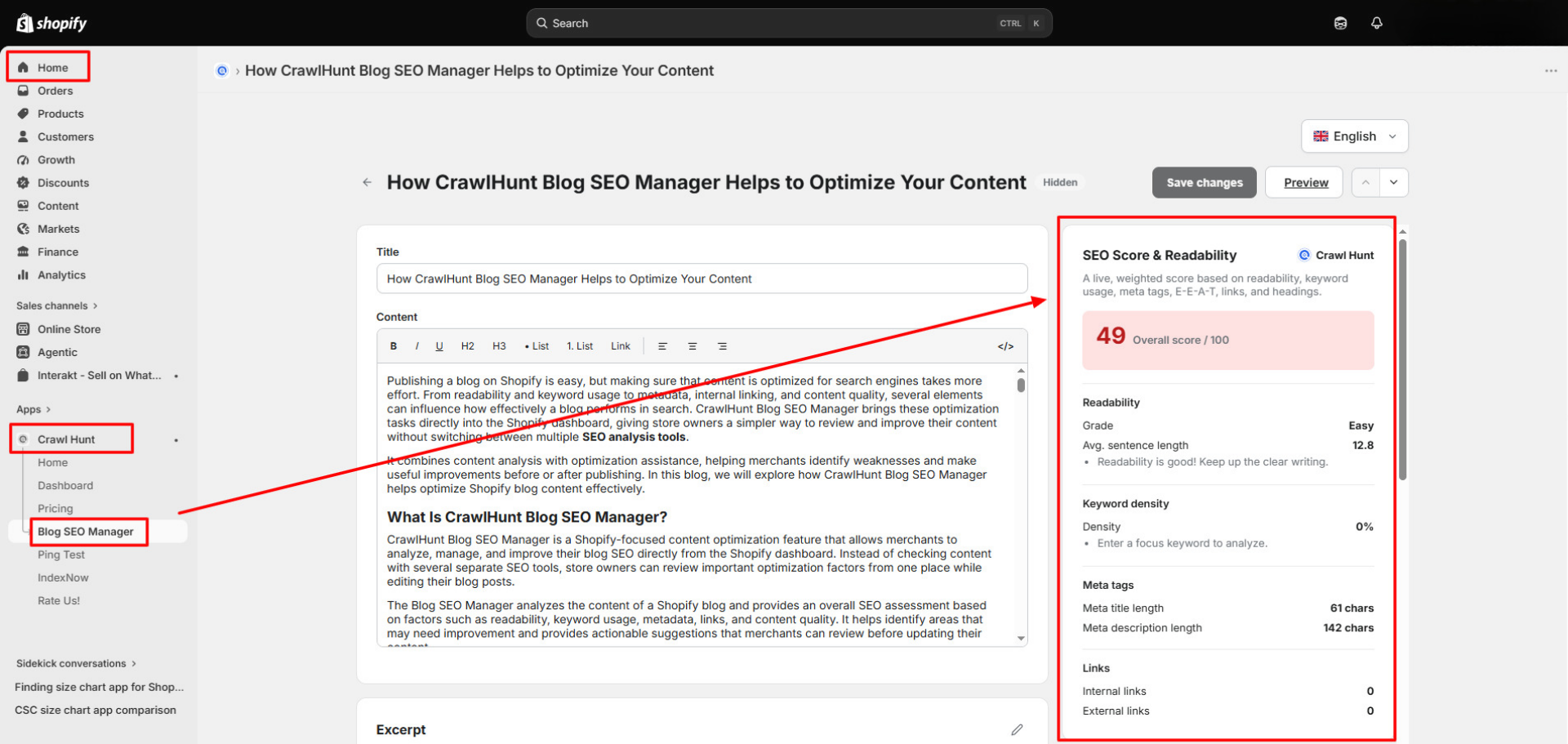
Blogging can play an important role in Shopify SEO Optimization because not every customer starts their journey by searching directly for a product.
Potential customers often search informational queries first.
For example, a skincare store could create content around:
- How to choose a moisturizer for dry skin.
- Best skincare routine for oily skin.
- Vitamin C serum benefits.
- How often should you exfoliate?
- Sunscreen guide for beginners.
These articles can attract organic visitors who may later explore related products.
However, publishing blog posts without optimizing them is not enough. Checking a content readability score is one easy way to spot posts that are hard to read.
A good Shopify blog should consider:
- Search intent.
- Primary keywords.
- Secondary keywords.
- Content structure.
- Internal linking.
- Meta titles.
- Meta descriptions.
- Content depth.
- Readability.
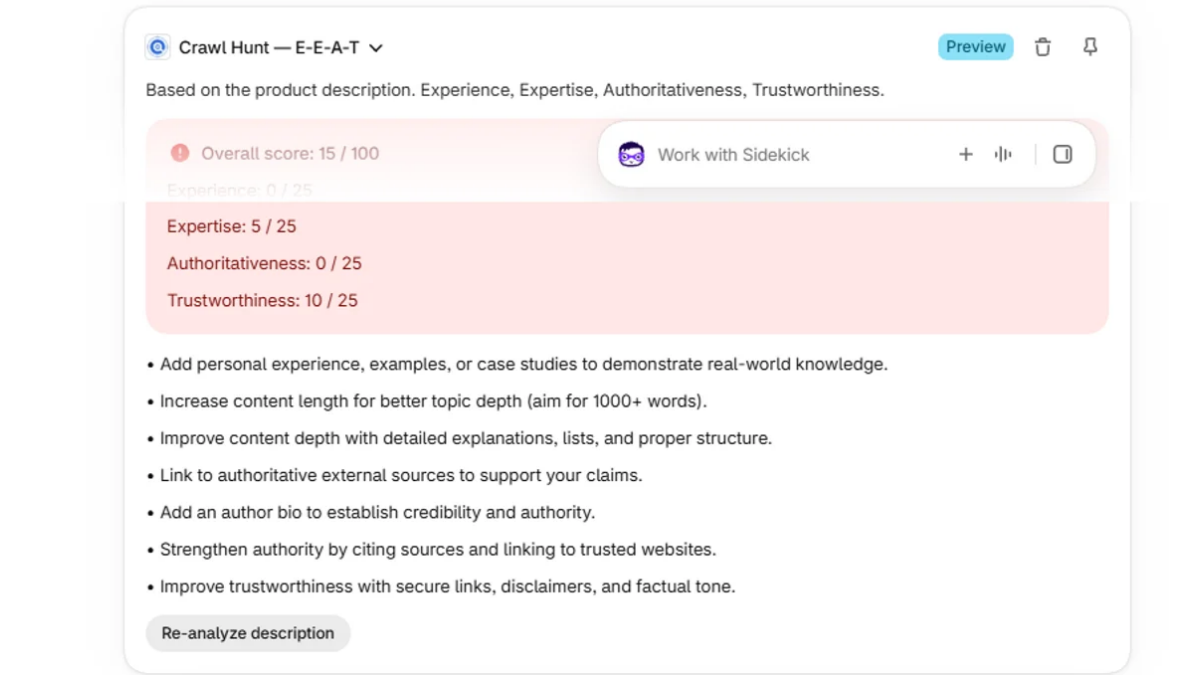
- E-E-A-T considerations.
How CrawlHunt Helps With Blog Optimization
CrawlHunt includes a dedicated Blog Manager for content optimization.
The Blog Manager can help analyze and improve Shopify blog content through features such as:
- E-E-A-T analysis.
- Blog SEO analysis.
- Metadata optimization.
- Internal-linking recommendations.
- Automatic internal linking.
- Content optimization opportunities.
Instead of treating blog optimization as a separate manual process, you can use CrawlHunt to evaluate your existing content and identify areas that need improvement.
This allows you to continuously improve older blog posts alongside newly published content.
7. Add Schema Markup
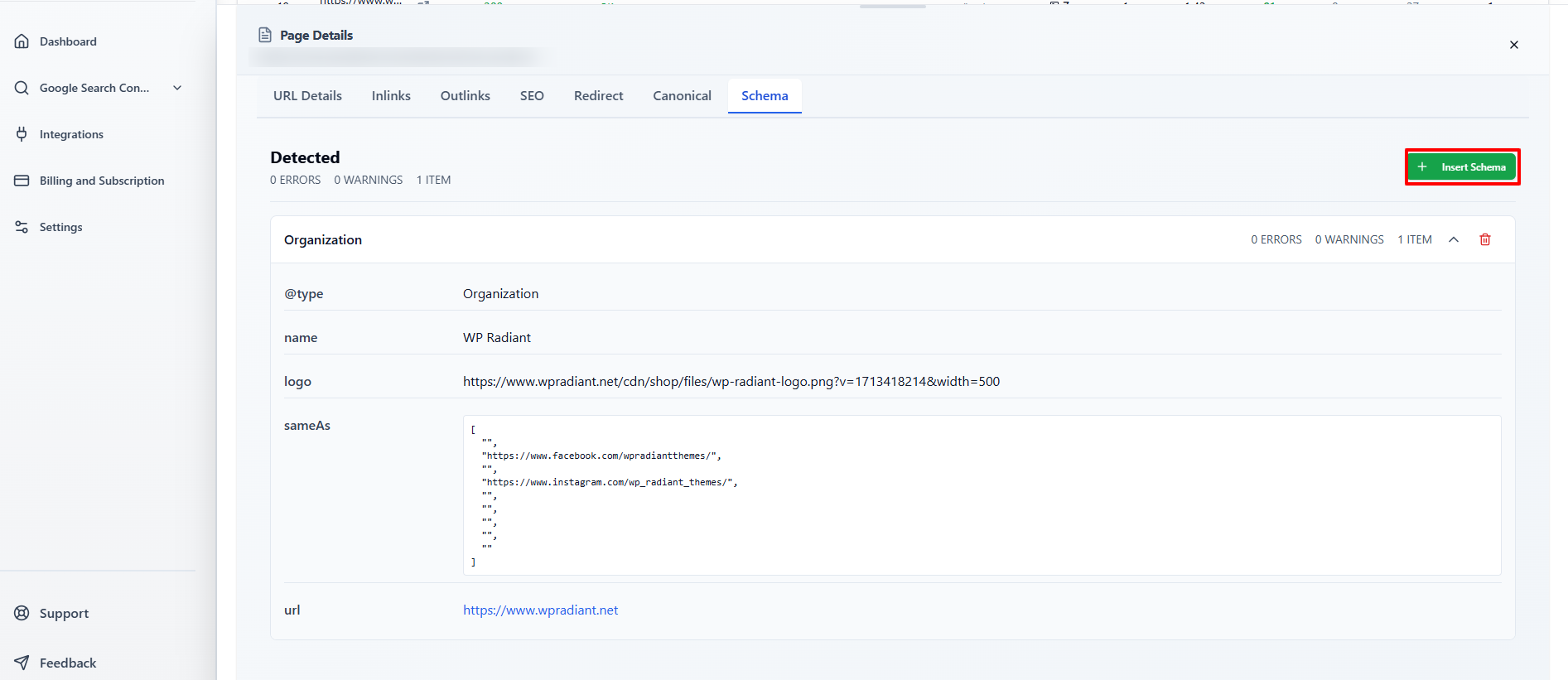
Schema markup is structured data that helps search engines better understand the information available on a webpage.
For ecommerce stores, schema can provide search engines with additional information about products, organizations, breadcrumbs, articles, FAQs, and other content.
Using schema markup for SEO can therefore be an important part of Shopify SEO Optimization.
Depending on your website and page type, relevant structured data may include:
- Product schema.
- Article schema.
- Organization schema.
- Breadcrumb schema.
- FAQ schema.
- Local business schema.
- Review-related structured data where appropriate.
Schema does not guarantee enhanced search results, but it gives search engines clearer structured information about your content.
How CrawlHunt Helps
CrawlHunt makes it easier to insert schema into your Shopify store.
Inside the CrawlHunt application:
- Go to Theme.
- Open the Schema option.
- Browse available schema options and templates.
- Select the relevant schema type.
- Configure the required information.
- Click Add.
CrawlHunt then inserts the selected schema into your Shopify store.
This can make schema implementation easier for store owners who do not want to manually edit theme code.
8. Use Canonical Tags Correctly
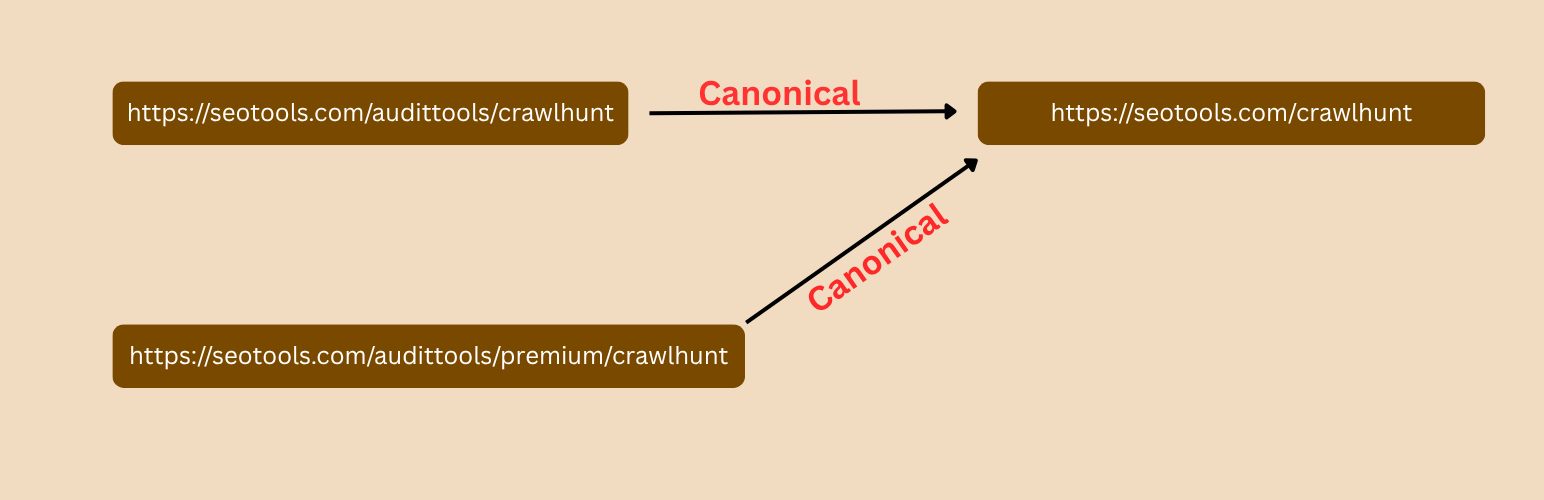
Duplicate and similar URLs are common in ecommerce stores.
For example, the same or similar product may sometimes be accessible through different URL paths, filters, parameters, or collections.
Search engines may then need help understanding which URL should be considered the preferred version.
This is where canonical tags become useful.
A canonical tag tells search engines which URL should generally be treated as the primary version of a page when multiple similar URLs exist.
Canonical management is therefore an important technical component of Shopify SEO Optimization.
Resolving canonical tag issues can help reduce confusion around:
- Duplicate product URLs.
- Parameter-based URLs.
- Similar page variations.
- Duplicate content.
- Multiple paths leading to similar content.
How CrawlHunt Helps
CrawlHunt provides functionality for adding canonical tags to Shopify pages.
Within the application, you can:
- Navigate to the relevant theme or SEO settings.
- Select the canonical option.
- Choose the appropriate destination URL.
- Click Insert.
The canonical tag can then be added to the store without requiring you to manually edit theme files.
9. Optimize Product and Collection Pages
Product and collection pages are often among the most commercially important pages in a Shopify store.
That means they should receive special attention during Shopify SEO Optimization.
Simply adding a product name, price, and manufacturer description is usually not enough.
A properly optimized product page should contain useful information for both users and search engines.
Consider improving:
- Product titles.
- Product descriptions.
- Meta titles.
- Meta descriptions.
- Image ALT text.
- Product images.
- Internal links.
- Structured data.
- FAQs.
- Product benefits.
- Specifications.
- Relevant keywords.
Collection pages are equally important because they can target broader commercial search terms.
For example, instead of ranking only for:
Nike Air Zoom Men's Running Shoe
A collection page may target:
Men's Running Shoes
Collection pages can therefore help Shopify stores rank for broader, higher-volume category keywords.
As part of Shopify SEO Optimization, avoid leaving collection pages with only a grid of products.
Where appropriate, add:
- Helpful category descriptions.
- Relevant internal links.
- Buying guidance.
- FAQs.
- Unique metadata.
10. Regularly Crawl and Audit Your Shopify Store
Shopify SEO Optimization should not be treated as a one-time activity.
Websites continuously change.
You may:
- Add new products.
- Delete discontinued products.
- Change collection URLs.
- Publish new blogs.
- Install new apps.
- Modify your theme.
- Change navigation.
- Create new landing pages.
Every one of these changes can potentially introduce new SEO issues.
For example, deleting a product could create a 404 error. Changing a collection URL could break internal links. Uploading new products may create missing ALT text or incomplete metadata.
Regularly crawling your website allows you to identify these problems before they become widespread. If you are wondering how to perform SEO audit checks on a Shopify store, a full crawl is the best place to start.
How CrawlHunt Helps
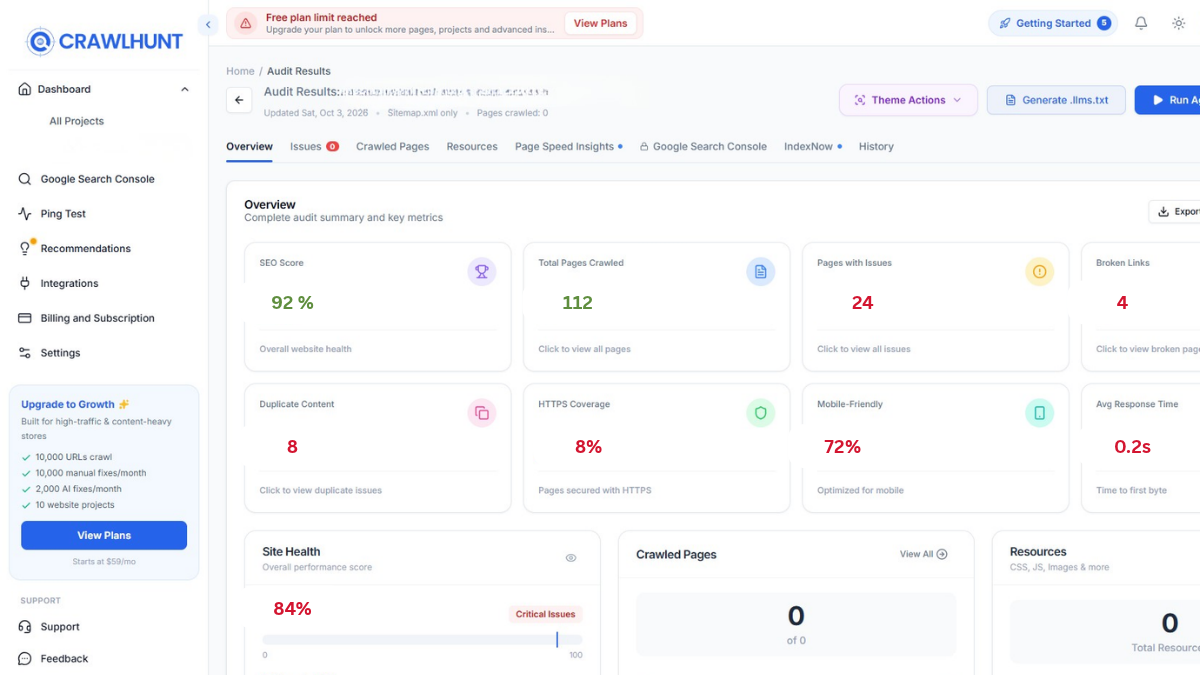
CrawlHunt is built around website crawling and SEO issue identification.
After connecting your Shopify store, you can crawl your website and identify different types of SEO problems from one application.
Depending on the issue, you can then review or apply fixes for areas such as:
- Meta titles.
- Meta descriptions.
- Image ALT text.
- 404 errors.
- Redirects.
- Internal links.
- Canonical tags.
- Schema markup.
- Performance optimization.
- Blog SEO.
Instead of manually checking hundreds of Shopify URLs individually, CrawlHunt gives store owners a centralized workflow for discovering and resolving Shopify SEO Optimization issues.
How CrawlHunt Simplifies Shopify SEO Optimization
One of the biggest challenges with Shopify SEO Optimization is scale.
Optimizing five product pages manually may be manageable. Optimizing 500 or 5,000 pages becomes much more difficult.
CrawlHunt helps simplify this workflow by combining SEO auditing, AI-powered recommendations, bulk fixes, and Shopify integration in one platform.
The basic workflow is:
- Install the CrawlHunt Shopify App.
- Connect your Shopify store to the CrawlHunt SaaS application.
- Crawl your website.
- Review detected SEO issues.
- Select the problem you want to resolve.
- Use AI-powered or bulk optimization features where available.
- Review the recommended changes.
- Apply or save the fixes to your Shopify store.
- Crawl the website again to identify remaining opportunities.
Using CrawlHunt, Shopify merchants can work on areas such as metadata, image SEO, redirects, broken links, internal linking, schema, canonical tags, blog optimization, and website performance from a centralized SEO workflow.
The goal is not to replace a complete SEO strategy, but to make technical and on-page Shopify SEO Optimization considerably easier to manage, particularly for stores containing a large number of URLs.
Consistent Shopify SEO Optimization, combined with valuable content, strong products, good user experience, and regular monitoring, can create a much stronger foundation for improving organic search visibility over time.
Conclusion
Shopify SEO Optimization is an ongoing process that combines technical SEO, content optimization, internal linking, metadata, site speed, schema, redirects, and regular website audits. Applying these improvements consistently can help search engines better understand your store while creating a smoother experience for shoppers. Instead of managing every SEO task manually, CrawlHunt can simplify much of the process through website crawling, AI-powered bulk fixes, internal linking suggestions, redirect management, blog optimization, schema, canonical tags, and performance improvements. By regularly identifying and fixing SEO issues, Shopify merchants can build a stronger search presence, improve organic visibility, and create a solid foundation for long-term traffic and ecommerce growth.
Frequently Asked Questions
1. What is Shopify SEO Optimization?
Shopify SEO Optimization is the process of improving your Shopify store so search engines can crawl, understand, index, and rank its pages more effectively. It includes optimizing meta titles, meta descriptions, product content, images, internal links, schema, canonical tags, site speed, redirects, and technical SEO issues.
2. How can I improve SEO on my Shopify store?
You can improve Shopify SEO by optimizing product and collection pages, writing unique metadata, adding image ALT text, fixing 404 errors, creating proper redirects, improving internal linking, adding schema markup, optimizing Core Web Vitals, publishing useful blog content, and regularly auditing your store for technical issues.
3. How does CrawlHunt help with Shopify SEO Optimization?
CrawlHunt helps Shopify merchants crawl their websites, identify SEO issues, and resolve many of them from one platform. It supports bulk AI fixes for meta titles, meta descriptions, and ALT text, AI-powered redirects, 404 fixes, internal linking opportunities, schema, canonical tags, blog optimization, and performance-related improvements.
4. Can CrawlHunt fix Shopify SEO issues in bulk?
Yes. CrawlHunt provides bulk optimization functionality for several SEO tasks. After crawling your Shopify website, you can open issues such as missing meta titles, meta descriptions, ALT text, or 404 errors and use Bulk AI Fixes to generate recommendations. You can review the generated changes before applying them to your store.
5. How long does Shopify SEO Optimization take to show results?
There is no fixed timeline for SEO results. It depends on factors such as your website authority, competition, content quality, technical health, backlink profile, and how frequently search engines crawl your pages. Shopify SEO Optimization should be treated as a continuous process rather than a one-time task.