Technical SEO plays a crucial role in helping search engines crawl, understand, and index your website properly. Even high-quality content can struggle to rank if your site has issues such as broken links, slow loading speed, duplicate pages, incorrect canonical tags, poor mobile usability, or indexing errors.
Following a structured Technical SEO Checklist helps identify these problems before they negatively affect organic visibility and user experience. From improving crawlability and indexability and site architecture to optimizing Core Web Vitals, structured data, redirects, and XML sitemaps, every technical element matters. In this blog, we will cover 10 essential Technical SEO Checklist points that can help improve website performance, search visibility, and overall SEO health.
10 Essential Technical SEO Checklist Points
A proper Technical SEO Checklist helps ensure that search engines can crawl, understand, index, and rank your website without unnecessary technical barriers. Many websites lose organic visibility not because their content is weak, but because technical problems prevent search engines from accessing important pages, understanding page relationships, or delivering a good user experience.
Following a structured Technical SEO Checklist allows website owners, SEO professionals, developers, and ecommerce businesses to identify these issues early and resolve them before they affect rankings and traffic. Below are 10 essential technical SEO checks that should be part of every website optimization strategy.
1. Check Website Crawlability
Crawlability determines whether search engine bots such as Googlebot can access and explore the pages of your website. If important pages cannot be crawled, search engines may never discover their content, regardless of how well those pages are optimized.
The first step in any Technical SEO Checklist should therefore be checking whether search engines can properly navigate your website. Problems with robots.txt rules, internal links, JavaScript rendering, server errors, or access restrictions can prevent crawlers from reaching important pages.
A crawlability audit can also reveal pages that are buried too deeply within the website architecture. Important pages should generally be accessible through logical navigation and a solid internal linking strategy instead of requiring search engines to follow multiple layers of URLs.
Things to check include:
- Make sure important pages are not blocked in robots.txt.
- Check for server errors such as 500 or 503 responses.
- Identify orphan pages with no internal links.
- Review JavaScript-generated content for crawlability.
- Check whether important pages require unnecessary parameters or redirects.
- Make sure navigation links are accessible to search engines.
- Review crawl depth for important product, category, service, and blog pages.
Improving crawlability makes it easier for search engines to discover your most valuable content and should always remain a priority within your Technical SEO Checklist.
2. Review Website Indexing
Crawling and indexing are closely connected, but they are not the same. A search engine may crawl a page without adding it to its search index.
Indexing determines which pages are eligible to appear in search results. Therefore, your Technical SEO Checklist should include a detailed review of which URLs are indexed, excluded, duplicated, or intentionally blocked.
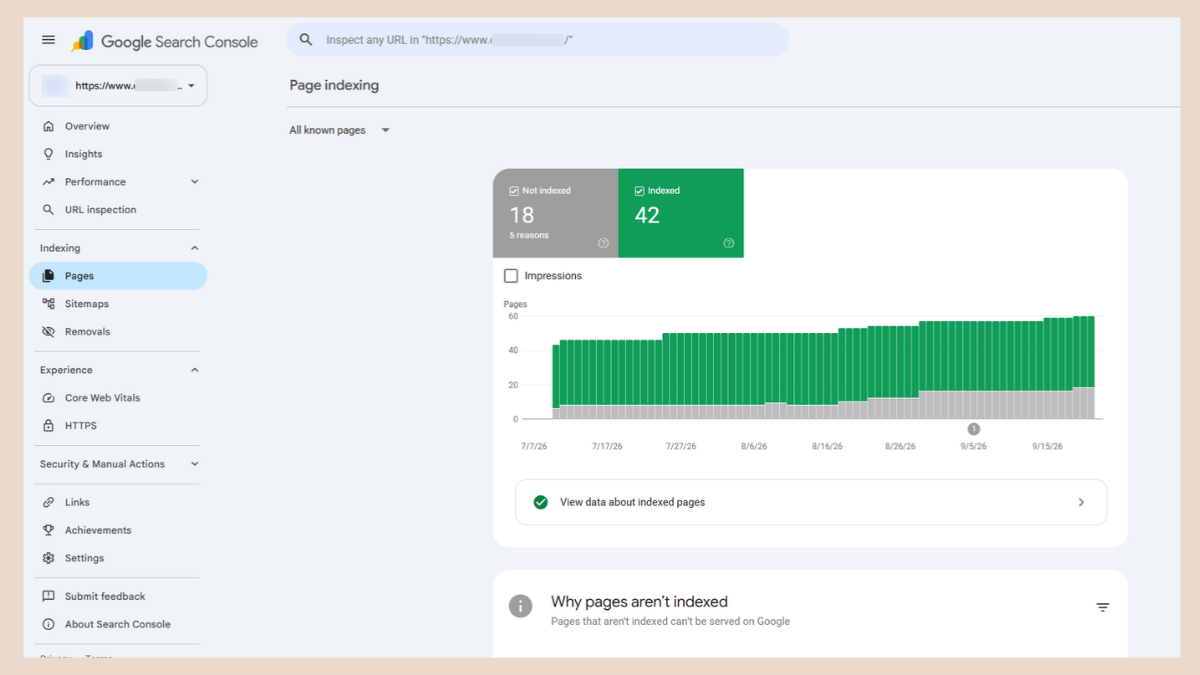
Unexpected noindex tags, incorrect canonical URLs, duplicate pages, thin content, redirects, soft 404s, and crawl errors can prevent important pages from appearing in search results. If you are unsure how to fix crawl errors, start with the page indexing report in Google Search Console.
Use Google Search Console to compare the number of indexed pages with the number of pages you actually want search engines to index.
Important indexing checks include:
- Look for important URLs marked as noindex.
- Review pages listed as crawled but currently not indexed.
- Investigate discovered but currently not indexed URLs.
- Check duplicate pages selected under another canonical URL.
- Remove unnecessary low-value pages from the index.
- Verify that important landing pages are indexed.
- Check indexing after publishing or updating important pages.
A clean index helps search engines focus on the pages that provide the greatest value to users.
3. Optimize Your XML Sitemap
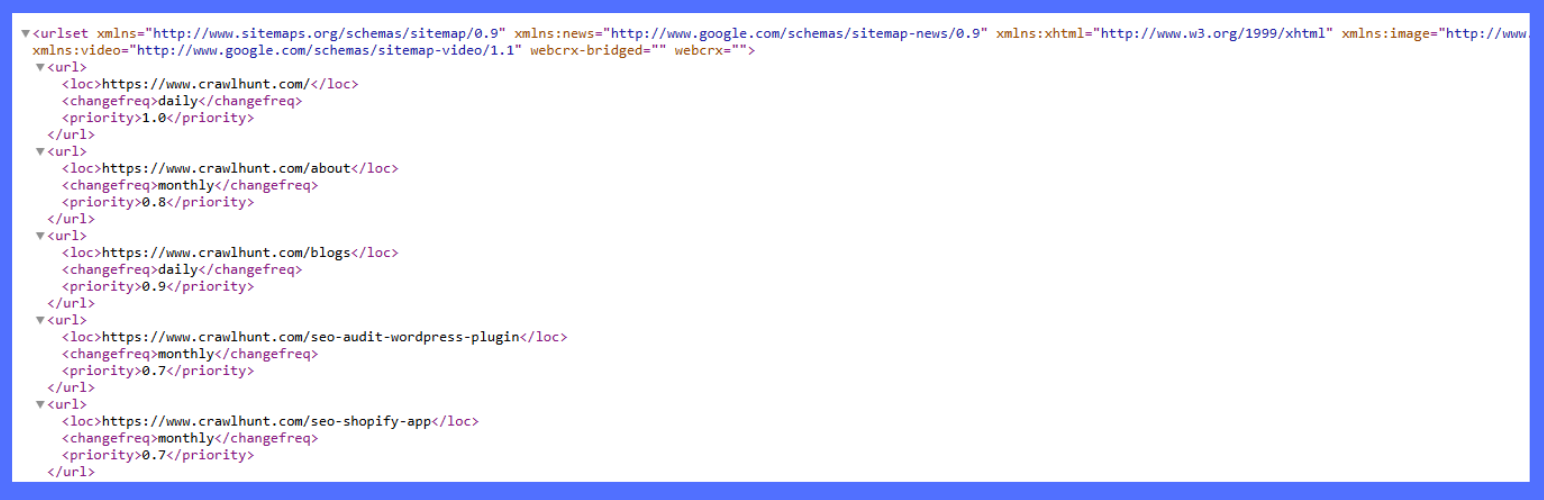
An XML sitemap provides search engines with a structured list of important URLs available on your website. Although a sitemap does not guarantee indexing, it helps search engines discover pages more efficiently, particularly on large websites and ecommerce stores.
An effective Technical SEO Checklist should verify that the XML sitemap contains only relevant, indexable, canonical URLs.
Avoid including broken pages, redirected URLs, duplicate pages, noindex pages, or URLs that you do not want appearing in search results.
Your XML sitemap should:
- Include only indexable URLs.
- Contain URLs returning a 200 HTTP status code.
- Exclude redirected pages.
- Exclude 404 and broken URLs.
- Exclude duplicate URLs.
- Exclude URLs blocked from indexing.
- Use the preferred HTTPS version of URLs.
- Be submitted through Google Search Console.
- Be updated whenever important pages are added or removed.
For larger websites, separate sitemaps can also be created for products, categories, blog posts, images, or other important sections.
Following XML sitemap best practices and maintaining a clean sitemap helps search engines understand which URLs deserve their attention.
4. Review Your Robots.txt File
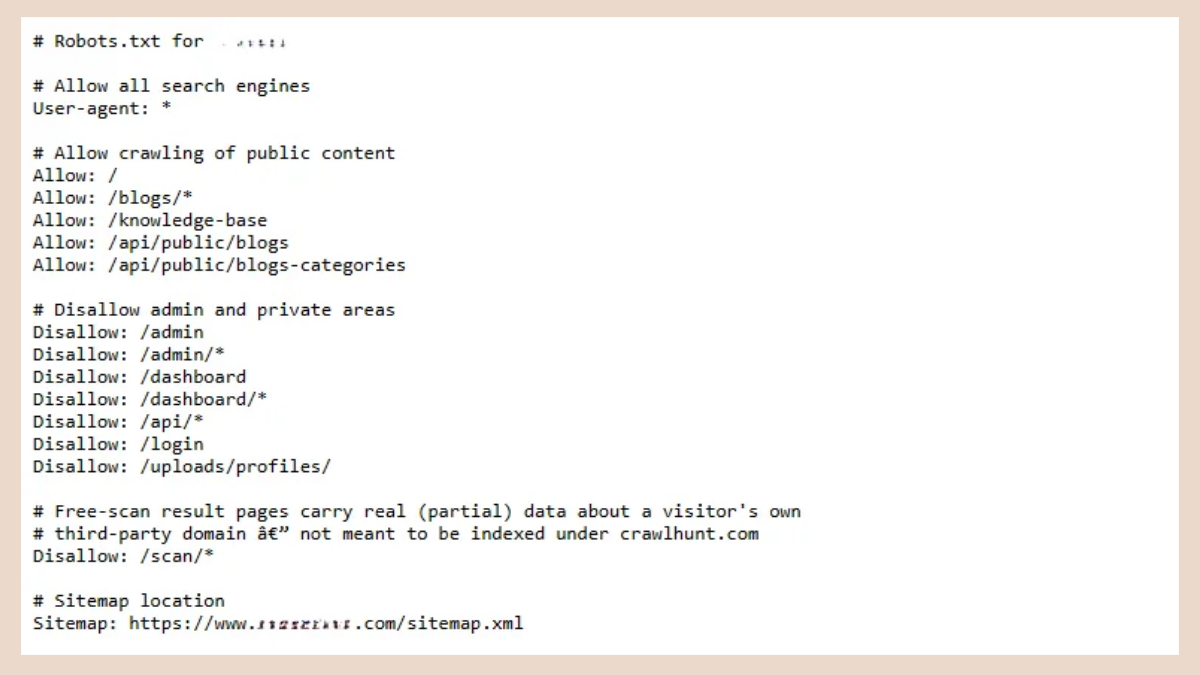
The robots.txt file provides instructions about which areas of a website search engine crawlers should or should not access.
A small mistake in this file can create serious SEO problems. For example, accidentally blocking an important directory may stop Google from crawling hundreds or thousands of valuable pages.
That is why checking robots.txt should be included in every Technical SEO Checklist.
Review your robots.txt file for:
- Accidental Disallow rules.
- Blocked product or category pages.
- Blocked JavaScript or CSS files required for rendering.
- Development or staging rules accidentally moved to production.
- Correct sitemap location.
- Unnecessary crawl restrictions.
- Parameters or internal search pages consuming crawl resources.
It is also important to understand that robots.txt controls crawling, not necessarily indexing. A URL blocked by robots.txt could still appear in search results if search engines discover it through external or internal links.
For pages that should not be indexed, appropriate noindex directives should normally be used instead.
5. Find and Fix Broken Links and 404 Errors
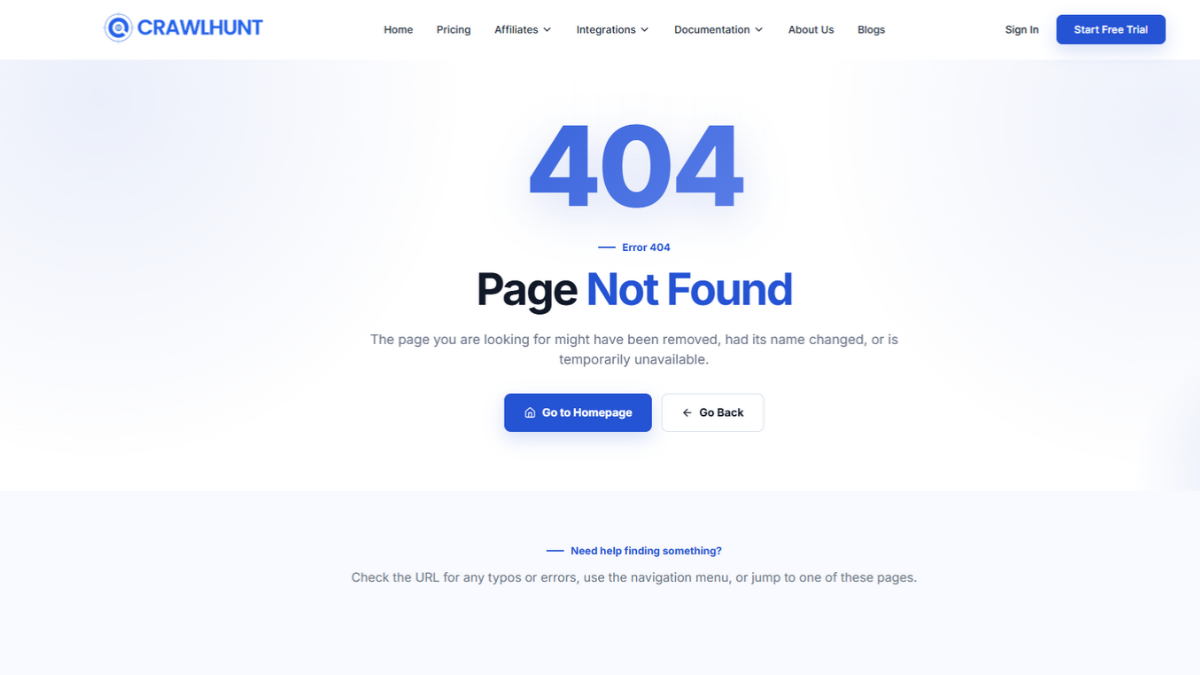
Broken links create poor experiences for both users and search engines. When visitors click a link and land on a 404 page, they may leave the website instead of continuing their journey.
From an SEO perspective, broken internal links can also waste crawl resources and interrupt the flow of internal link equity across your website.
A comprehensive Technical SEO Checklist should therefore include regular detection and resolution of 404 errors.
Common causes of 404 errors include:
- Deleted products.
- Changed page URLs.
- Removed blog posts.
- Incorrect internal links.
- Mistyped URLs.
- Website migrations.
- Changes to category or collection structures.
Once you identify a broken page, the way to fix 404 errors is to decide whether it needs to be restored, redirected, or removed from internal links.
Recommended actions include:
- Update broken internal links to the correct destination.
- Add a 301 redirect when a permanent replacement exists.
- Remove links pointing to pages that no longer have relevant alternatives.
- Fix broken image URLs.
- Review backlinks pointing to deleted URLs.
- Avoid redirecting every deleted page to the homepage.
Redirecting users to the closest relevant page generally provides a better experience than sending every broken URL to an unrelated destination.
6. Review Redirects and Redirect Chains
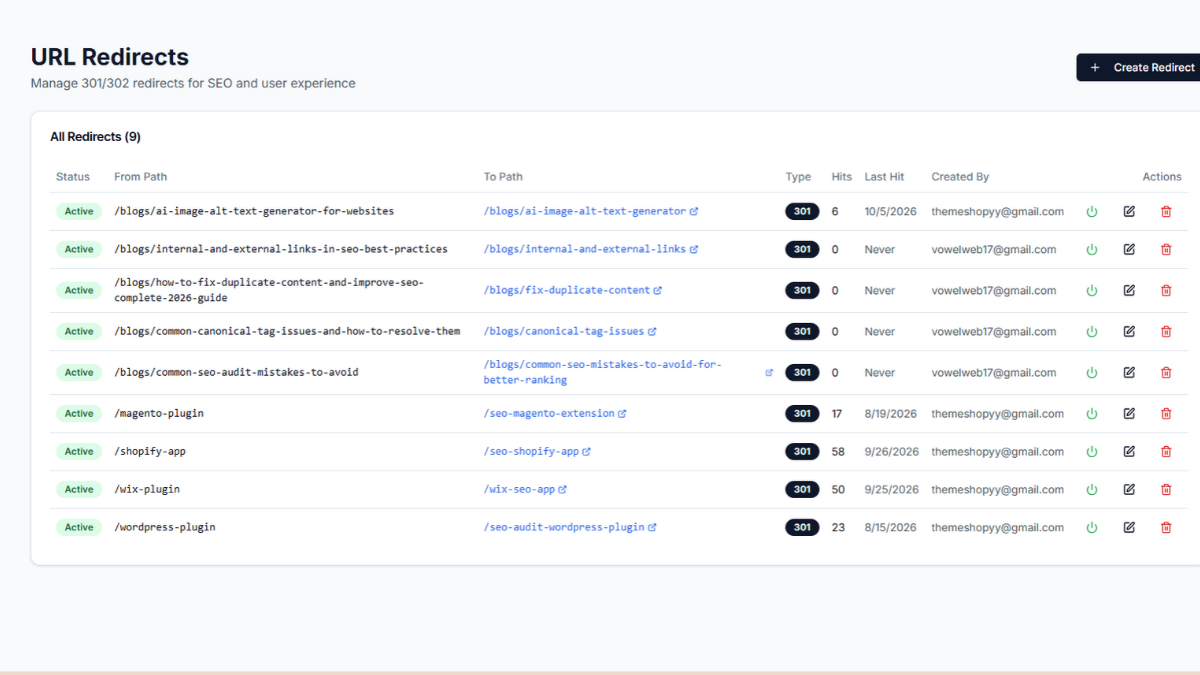
Redirects are important when URLs change, but excessive or incorrectly implemented redirects can reduce website efficiency.
A redirect chain happens when one URL redirects to another URL, which then redirects to another destination. For example:
Page A → Page B → Page C → Page D
Instead of forcing users and search engines through multiple steps, Page A should ideally redirect directly to Page D.
Redirect analysis is therefore another important part of your Technical SEO Checklist.
You should check for:
- 301 redirects.
- 302 redirects.
- Redirect chains.
- Redirect loops.
- Redirects pointing to 404 pages.
- HTTP to HTTPS redirects.
- WWW and non-WWW consistency.
- Old URLs after website migrations.
Use 301 redirects when a URL has permanently moved to a new location. Temporary redirects such as 302 should only be used when the change is genuinely temporary.
Cleaning unnecessary redirect chains can improve crawling efficiency and reduce unnecessary loading steps.
7. Check Canonical Tags
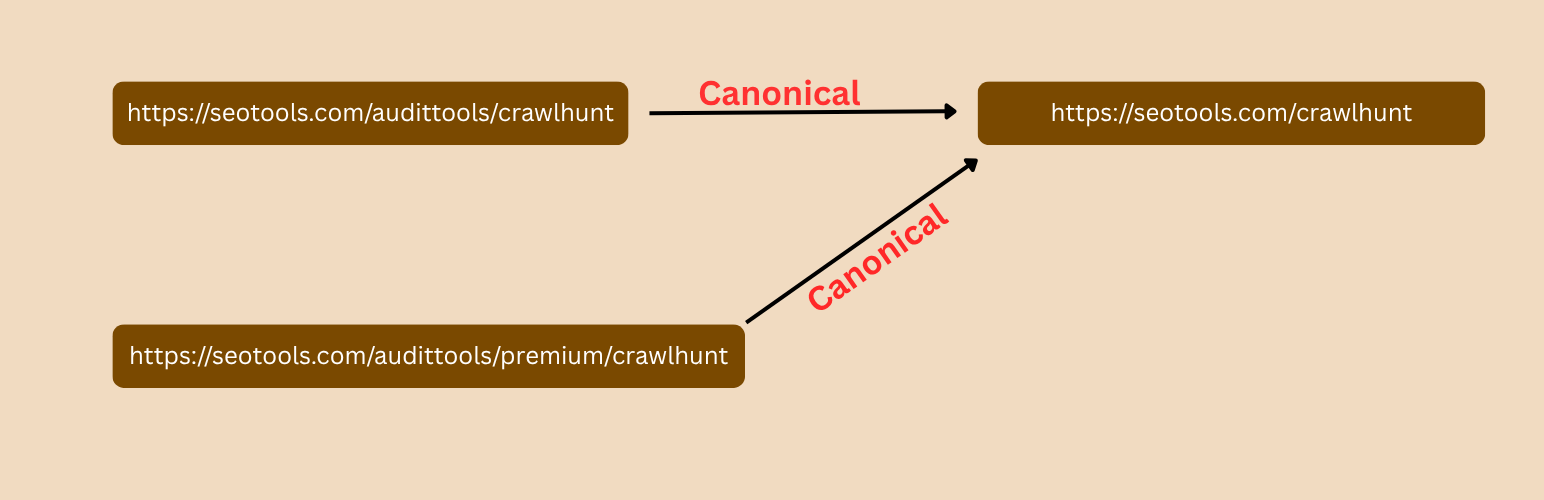
Canonical tags help search engines understand which version of a page should be treated as the primary URL when several similar or duplicate versions exist.
This is especially important for ecommerce websites where products may appear through multiple categories, filters, sorting parameters, or tracking URLs.
Canonicalization should therefore be a critical item in your Technical SEO Checklist.
For example, several URLs might display similar content:
example.com/product
example.com/product?color=black
example.com/category/product
A canonical tag can indicate which URL should be considered the preferred version.
When reviewing canonical tags:
- Make sure important pages contain valid canonical URLs.
- Use self-referencing canonicals where appropriate.
- Avoid canonicalizing important pages to unrelated URLs.
- Check parameter URLs for duplicate content.
- Review product variations and category pages.
- Make sure canonical URLs return a 200 status.
- Avoid canonical URLs pointing to redirected or broken pages.
Unresolved canonical tag issues can cause search engines to index the wrong page or ignore the page you actually want to rank.
8. Improve Website Speed and Core Web Vitals
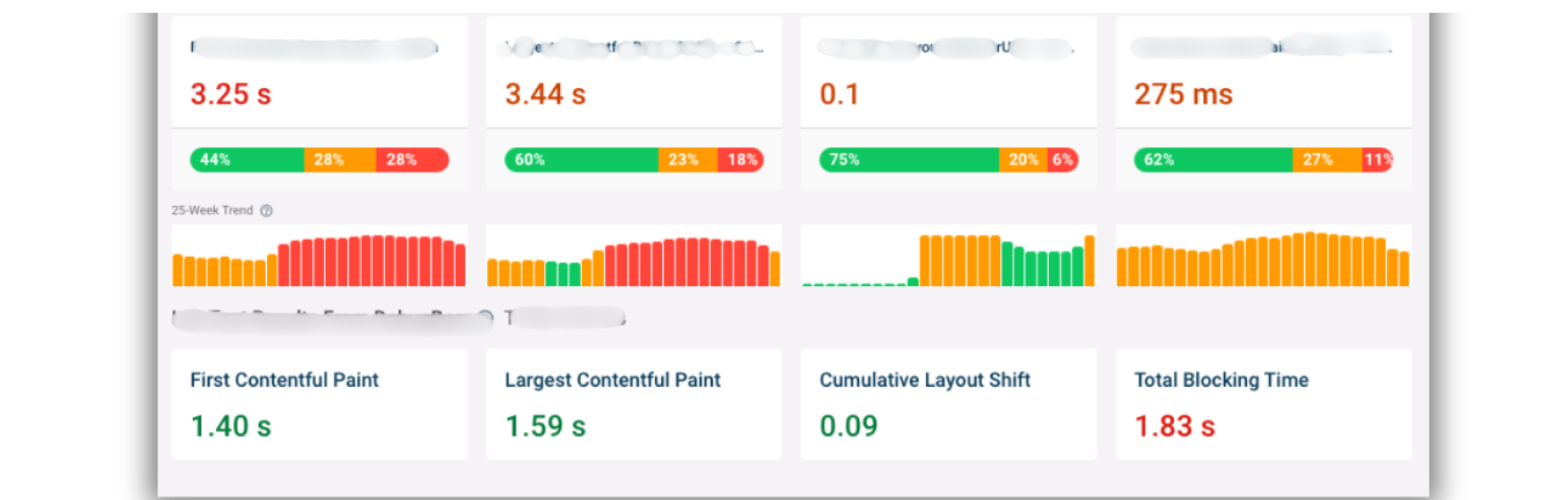
Website performance directly affects user experience and can also influence search visibility. Slow websites often experience higher bounce rates, lower engagement, and reduced conversions.
Website speed should therefore be a major component of your Technical SEO Checklist.
Google's Core Web Vitals help measure important aspects of real-world page experience, including loading performance, responsiveness, and visual stability.
Important Core Web Vitals include:
- Largest Contentful Paint (LCP): Shows how long it takes for the largest visible content element on a page to load for the user.
- Interaction to Next Paint (INP): Evaluates how quickly a webpage reacts after a user clicks, taps, or interacts with an element.
- Cumulative Layout Shift (CLS): Tracks unexpected layout movements that occur while a page is loading and helps measure visual stability.
Common performance improvements include:
- Compressing large images.
- Serving next-generation image formats.
- Lazy-loading below-the-fold images.
- Minifying CSS and JavaScript.
- Reducing unnecessary scripts.
- Improving server response times.
- Using browser caching.
- Using a content delivery network.
- Removing unused CSS and JavaScript.
- Optimizing fonts.
For ecommerce stores, page-speed optimization becomes especially important because heavy product images, third-party apps, tracking scripts, and custom functionality can significantly affect performance. Ongoing Core Web Vitals monitoring helps you catch regressions after theme or app changes.
9. Check Mobile-Friendliness and Responsive Design

A large portion of website traffic now comes from mobile devices. Search engines also evaluate websites primarily using their mobile versions when crawling and indexing content.
Mobile optimization should therefore be an essential part of every Technical SEO Checklist.
Your website should provide the same important content, structured data, internal links, and metadata on mobile devices as it does on desktop.
Check your mobile experience for:
- Responsive layouts.
- Readable font sizes.
- Properly sized buttons.
- Mobile navigation.
- Horizontal scrolling.
- Overlapping elements.
- Large images.
- Slow mobile loading.
- Intrusive popups.
- Forms that are difficult to complete.
- Missing mobile content.
You should test important page types, including product pages, collection pages, blog posts, category pages, checkout journeys, and landing pages.
A website that technically loads on a phone is not necessarily mobile-friendly. Users should be able to browse, read, click, search, and complete actions comfortably.
10. Implement and Validate Structured Data
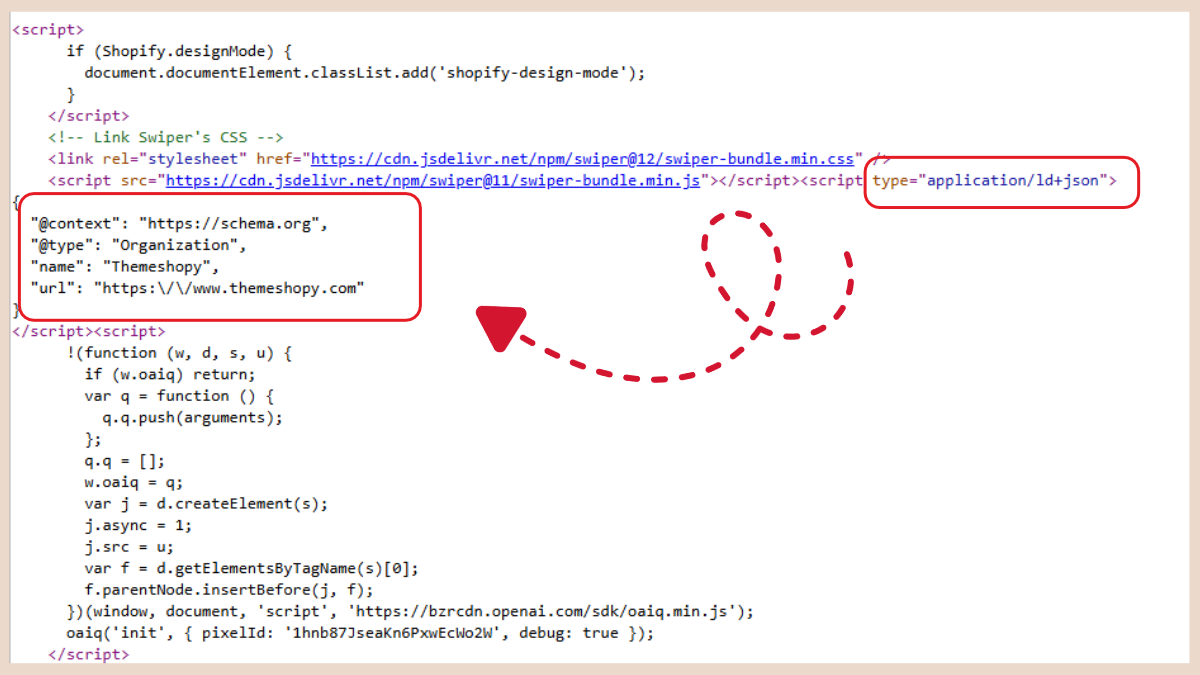
Structured data helps search engines understand the meaning and context of your website content.
Schema markup for SEO can provide additional information about products, reviews, businesses, articles, FAQs, breadcrumbs, events, organizations, and many other types of content.
Structured data should therefore appear on your Technical SEO Checklist, particularly for ecommerce and content-heavy websites.
Common schema types include:
- Product Schema
- Article Schema
- Breadcrumb Schema
- Organization Schema
- Local Business Schema
- Event Schema
- Review Schema
- FAQ-related structured data where applicable
For ecommerce websites, Product Schema can help search engines understand details such as:
- Product name
- Price
- Availability
- Brand
- SKU
- Ratings
- Reviews
However, structured data must accurately reflect the visible content on the page.
During your technical SEO audit:
- Check whether required properties are included.
- Identify structured data errors.
- Fix warnings where appropriate.
- Remove duplicate schema.
- Ensure prices and availability remain accurate.
- Validate markup after website changes.
- Check whether multiple plugins are generating conflicting schema.
Correctly implemented structured data gives search engines clearer information about your content and can make your pages eligible for enhanced search-result features.
How CrawlHunt Can Help With Technical SEO
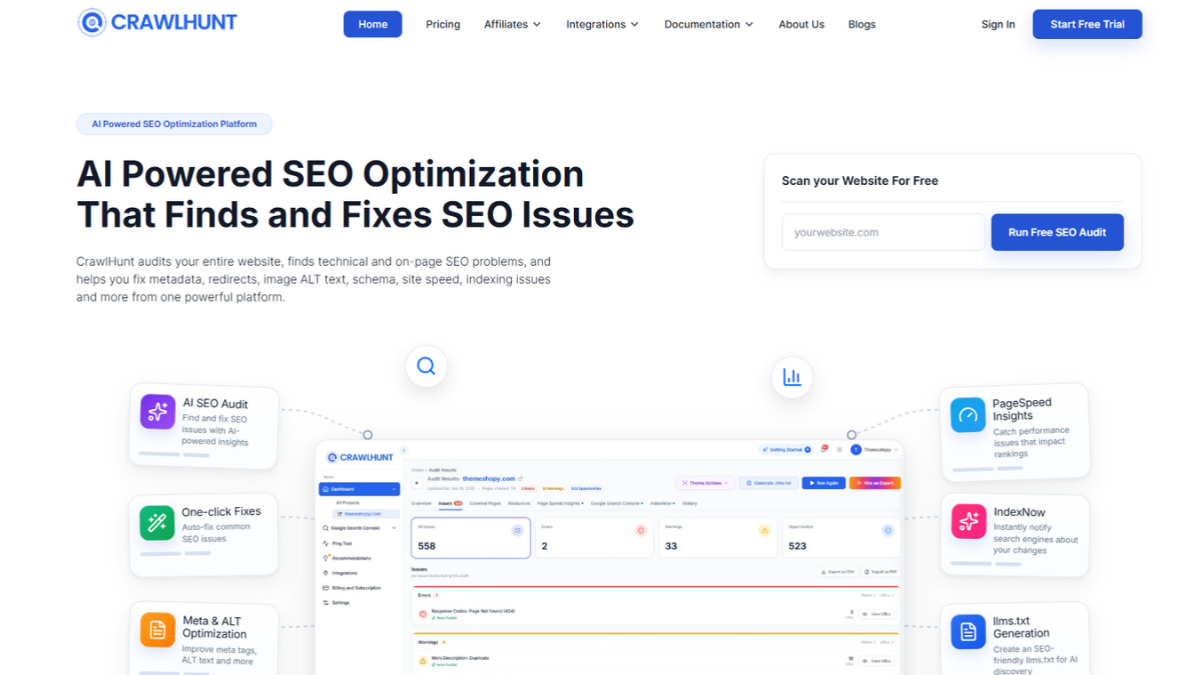
CrawlHunt helps simplify technical SEO by identifying website issues and giving users practical ways to fix them from one platform. Instead of manually checking multiple tools for crawl errors, metadata problems, broken pages, indexing issues, and performance concerns, website owners can use CrawlHunt to scan their site and review important SEO problems in one place.
Once your website is connected and crawled, CrawlHunt analyzes different technical SEO elements and highlights areas that need attention. This makes it useful for ecommerce stores, WordPress websites, marketers, agencies, and website owners who want a more structured approach to technical optimization.
CrawlHunt can help with:
- Meta title and description optimization: Identify missing or weak metadata and generate improved versions using AI, including bulk fixes.
- Image ALT text: Find images with missing ALT attributes and generate optimized ALT text in bulk.
- 404 error detection: Discover broken URLs that may negatively affect user experience and crawl efficiency.
- AI-powered redirects: Create relevant redirects for broken or outdated URLs instead of manually mapping every page.
- Canonical checks: Identify canonical-related issues that may cause duplicate content or indexing confusion.
- Schema optimization: Review structured data opportunities and improve how search engines understand important page information.
- Google Search Console integration: Monitor indexing and search-related issues from connected data.
- Core Web Vitals: Identify performance issues that may affect page experience.
- IndexNow and sitemap support: Help search engines discover updated pages faster.
- Technical SEO monitoring: Regular scans make it easier to detect new issues as your website grows.
By combining auditing, automation, and AI-assisted fixes, CrawlHunt can make your Technical SEO Checklist easier to manage while reducing repetitive manual SEO work.
Conclusion
A strong Technical SEO Checklist helps ensure that your website is easy for search engines to crawl, index, understand, and rank. Regularly checking crawlability, indexing, XML sitemaps, robots.txt, broken links, redirects, canonical tags, Core Web Vitals, mobile usability, and structured data can prevent technical issues from limiting your organic growth. Technical SEO should not be treated as a one-time task because new errors can appear whenever pages, themes, plugins, products, or website structures change. Tools like CrawlHunt can simplify this process by identifying technical SEO problems and helping automate repetitive fixes. By consistently following a Technical SEO Checklist, you can maintain better website health, improve user experience, and build a stronger foundation for long-term SEO performance.
FAQs
1. What is a Technical SEO Checklist?
A Technical SEO Checklist is a structured list of technical website elements that should be reviewed to ensure search engines can properly crawl, index, and understand your website.
2. How often should I perform a technical SEO audit?
For most websites, a technical SEO audit should be performed regularly, especially after redesigns, migrations, major content updates, theme changes, or plugin installations.
3. What are the most common technical SEO issues?
Common issues include broken links, 404 errors, incorrect redirects, duplicate content, indexing problems, missing canonical tags, slow page speed, and structured data errors.
4. Does technical SEO help improve Google rankings?
Technical SEO can support better rankings by removing crawl and indexing barriers, improving website performance, and making it easier for search engines to understand your content.
5. How can CrawlHunt help with technical SEO?
CrawlHunt can help detect and manage technical SEO issues such as 404 errors, redirects, metadata problems, ALT text, canonical issues, schema, indexing concerns, Core Web Vitals, and other site health problems.